The world of desk peripherals is vast and ever-evolving, but one item has recently commanded significant attention: the large mouse pad. More than just a simple surface for your mouse, these expansive mats have transformed workspaces and gaming setups alike, offering benefits that extend far beyond mere aesthetics. But with so many options and opinions out there, the question remains: is a large mouse pad truly worth the investment? Users, from professional gamers to daily office workers, are increasingly weighing in, highlighting how these oversized companions can dramatically impact comfort, precision, and the overall desk experience.
The Perfect Large Mouse Pad: A Detailed Guide
Choosing the ideal large mouse pad isn’t just about picking the biggest option available; it’s about understanding how its size, surface, and material contribute to your specific needs. This guide dives deep into what makes a large mouse pad a game-changer and how to navigate the choices to find your perfect fit.
Large Mouse Pad Size: Why Bigger is Better?
When it comes to mouse pads, a common sentiment among many users is that larger is often better. The primary advantage of an expansive surface is the generous freedom of movement it provides, especially crucial for gamers who prefer low sensitivity settings and require broad, sweeping mouse movements for precision aiming. This ample space minimizes the need to lift and reposition your mouse mid-action, ensuring uninterrupted gameplay or workflow.
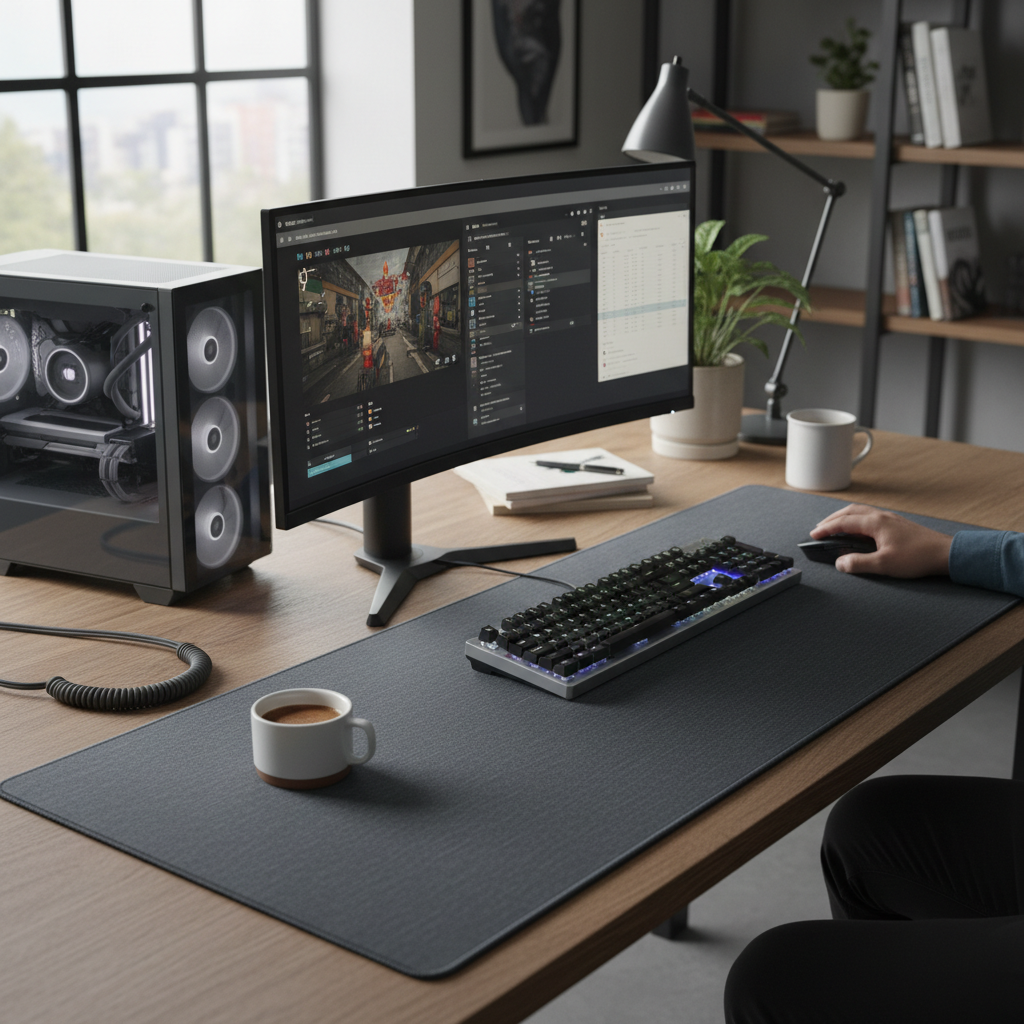
Beyond enhanced movement, large mouse pads often cover a significant portion, if not all, of your desk, creating a unified and cohesive aesthetic. This desk coverage not only looks cleaner but also protects your desk surface from scratches, scuffs, and spills. Popular dimensions for large mouse pads often include “XL” or “XXL” sizes, such as 900x400mm (approximately 35×16 inches) and 1200x600mm (approximately 48×24 inches), or even larger “3XL” variants that can span an entire desk.
Who stands to gain the most from a large mouse pad?
- Gamers: Particularly those who play first-person shooters (FPS) and real-time strategy (RTS) games, benefiting from the consistent tracking and wide movement range.
- Creative Professionals: Graphic designers, video editors, and artists who rely on precise cursor control and a comfortable, ergonomic workspace for long hours.
- Anyone with a Multi-Monitor Setup: A large pad provides a seamless surface across multiple screens, unifying the workspace.
- Users Seeking Ergonomic Comfort: The cushioned surface supports wrists and forearms, reducing strain during extended computer use.
|
Our Picks for the Best Large mouse pad in 2026
As an Amazon Associate I earn from qualifying purchases.
|
||
| Num | Product | Action |
|---|---|---|
| 1 | SteelSeries QcK Gaming Mouse Pad - XXL Cloth - Peak Tracking and Stability - Esports Mousepad - Never-Slip - Full Desk Coverage |

|
| 2 | Aothia Non-Slip Waterproof PU Leather Desk Pad Protector for Mouse, Writing Desk, Office, Home, Laptop Blotter, 23.6" x 13.7", Black |
|
| 3 | TEDNETGO Large Gaming Mouse Pad, Waterproof Extra Large Big Mouse Pad with Stitched Edge, XXL Non-Slip Black Computer Long Mousepad Desk Mat for Gamer, Office & Home, Black |
|
| 4 | Razer Gigantus V2 Cloth Gaming Mouse Pad (XXL): Thick, High-Density Foam - Non-Slip Base - Classic Black |
|
| 5 | Large Extended Gaming Mouse Pad with Stitched Edges, (31.5X15.7In) Durable Non-Slip Natural Rubber Base, Waterproof Computer Keyboard Pad Mat for Esports Pros/Gamer/Desktop/Office/Home-Black |
|
| 6 | Mouse Pad, Large Gaming Mouse Pad with Double Stitched Edges, 14.9 x 11.7 inches Premium-Textured & Waterproof Mousepad, Nonslip Natural Rubber Base Mouse pad for Laptop,Computer, Office, Black |
|
| 7 | Large Gaming Mouse Pad, 31.5x15.7 inch Large Extended Computer Keyboard Mouse Mat, Water Resist Non-Slip Mousepad Rubber Base Long XXL Desk Mouse Pad for Work & Gaming, Office & Home, Black |
|
| 8 | Amazon Basics Large Extended Computer Rectangular Mouse Pad, 16.7 x 35.7 inch, Black |
|
| 9 | KTRIO Large Gaming Mouse Pad Desk Mat, Superior Micro-Weave Cloth for Precise Mouse Control, Non-Slip Rubber Base, Stitched Edges, Water-Resistant, for Gamer, Office & Home, 31.5" x 11.8" inches |
|
| 10 | SteelSeries QcK Large Gaming Mousepad — Black — Non-Slip Silicone Rubber Base — Peak Tracking and Stability — Optimized for Gaming Sensors — 490 mm x 420 mm — FPS, MOBAs, RTS, MMO |
|
“For competitive gamers, especially those using low DPI, a large mouse pad isn’t a luxury, it’s a necessity. It provides the canvas for those pixel-perfect adjustments and wide flick shots without ever worrying about running off the edge.” – Alex ‘Apex’ Chen, Esports Analyst
Types of Large Mouse Pad Surfaces: Pros and Cons
The surface of your large mouse pad dictates the feel and performance of your mouse movements. There are primarily three types: cloth, hard, and hybrid, each with distinct advantages and disadvantages.
Cloth Surfaces
Cloth mouse pads are the most common and versatile. They typically consist of a rubber foam base topped with a woven fabric. Within cloth pads, there’s a further distinction between “speed” and “control” surfaces:
- Speed Surfaces: Often made from smoother, tighter-woven fabrics like polyester. They offer low friction, allowing the mouse to glide quickly and effortlessly. These are favored by gamers who need rapid movements, such as those in MOBA or RTS games, or users with high-DPI settings.
- Control Surfaces: Feature a denser or more textured weave, providing higher friction for precise, deliberate movements. This increased resistance is ideal for FPS gamers who require pinpoint accuracy and stopping power for micro-adjustments, as well as graphic designers needing fine control.
- Pros: Comfortable, generally affordable, come in many designs, offer good control or speed depending on the weave, often flexible and rollable.
- Cons: Can accumulate dust and debris, may require more frequent cleaning, some coated fabric pads can wear down faster.
Hard Surfaces
Hard mouse pads are crafted from rigid materials like plastic, aluminum, or tempered glass. These surfaces offer minimal friction, providing an incredibly fast and consistent glide.
- Pros: Exceptionally fast and smooth glide, very durable, easy to clean, highly precise tracking due to uniform surface.
- Cons: Can be noisy during use, less comfortable for wrists (lacks cushioning), can cause mouse feet to wear down faster, typically smaller in size (difficult to produce very large rigid pads), less portable.
Hybrid Surfaces
Hybrid mouse pads aim to combine the best of both worlds, offering a balance between speed and control. They often feature a unique blend of materials or a specific texture designed to provide a fast glide with enough stopping power for precise movements.
- Pros: Versatile, suitable for a wide range of tasks and game genres, durable, often water-resistant.
- Cons: Can be more expensive, the feel might not be as specialized as a dedicated speed or control pad.
[image-1|mousepad-surfaces-comparison|Comparing different large mouse pad surfaces: cloth, hard, and hybrid materials|
A top-down realistic studio shot of three distinct mouse pad surfaces side-by-side: one made of soft, dark grey cloth with a visible weave, another of a sleek, reflective black tempered glass, and a third of a textured, subtly patterned hybrid material. Each surface should show a mouse partially resting on it, illustrating how the textures interact with the mouse. Soft, even studio lighting with a clean, minimalist background.]
Large Mouse Pad Materials: Durability and Comfort
The underlying materials of a large mouse pad significantly contribute to its overall durability, comfort, and how it performs.
- Natural Rubber: This is the most common material for the base of cloth mouse pads. Natural rubber provides excellent grip on your desk, preventing the pad from shifting during intense use. It also offers good elasticity and cushioning, which enhances comfort for your wrists and forearms.
- Synthetic Rubber: Often used as an alternative to natural rubber, synthetic rubber bases are generally more cost-effective to produce. They still provide decent grip but might vary in elasticity and durability compared to natural rubber.
- Other Materials:
- Leather: Some premium desk mats are made from PU leather, offering a luxurious look and feel, spill resistance, and ease of cleaning. They are more focused on aesthetics and general productivity rather than high-performance gaming.
- Metal (Aluminum): Used in hard mouse pads, metal offers extreme durability and a very smooth, fast surface. However, it can feel cold and might be noisy.
- Glass: Tempered glass pads provide an ultra-smooth, low-friction surface for unparalleled speed and precision. They are incredibly durable and easy to clean but are also among the most expensive and rigid options.
Thickness Matters:
Mouse pad thickness also plays a role in comfort and performance.
- 1-2mm: These thinner pads offer a sleek profile and minimal cushioning. They are generally preferred for maximum speed and precision as they offer less resistance.
- 3mm: Considered the most common and balanced thickness. They offer a good blend of comfort and speed, providing some cushioning without feeling too “mushy.”
- 4mm and above: These thicker pads provide the most cushioning and comfort, ideal for users who spend extended hours at their desk and seek significant wrist and forearm support. However, they can introduce a bit more resistance, which might be less ideal for pure speed enthusiasts.
Comparing Popular Large Mouse Pad Brands
The market for large mouse pads is competitive, with several brands consistently delivering high-quality products. Here’s a look at some of the leaders and what they’re known for:
- SteelSeries: A long-standing name in gaming peripherals, SteelSeries is famous for its QcK series. The QcK Heavy and QcK Extended are popular large cloth pads known for their micro-woven cloth surfaces, offering a balance of glide and control, durability, and a non-slip rubber base. They are often praised for their excellent value.
- Razer: Known for its aggressive styling and performance, Razer offers various large pads like the Gigantus V2, a soft cloth pad with textured micro-weave, and the Strider Hybrid, which aims for a balance between speed and control. Their newer Razer Atlas is a tempered glass pad designed for extreme speed.
- Corsair: With offerings like the MM300 Pro Extended and MM200 Pro, Corsair provides durable, spill-proof cloth surfaces. They are often highlighted for their high-quality stitched edges that prevent fraying.
- Logitech: Logitech’s G840 is a popular desk mat known for its large surface area and a balanced blend of speed and control. Their G440 Hard pad caters to users who prioritize a fast, low-friction hard surface.
- Artisan: A Japanese brand revered by enthusiasts for its premium quality and meticulous craftsmanship. Pads like the Artisan Hien XL and Artisan Zero are highly sought after for their consistent performance, unique surface textures, and varying levels of softness (Soft, Mid, XSoft), offering distinct glide and control characteristics. They are often considered high-end investments.
- Glorious: Popular for its “XXL” printed mouse pads, Glorious combines performance with aesthetic appeal. Their pads feature low-friction glide, stitched edges, and anti-slip bases, often with vibrant, unique designs.
Detailed Comparison Table of Large Mouse Pad Models
To help you visualize the differences, here’s a comparison of some notable large mouse pad models. Note that prices can vary based on retailers and ongoing sales.
| Product Name | Size (mm) | Surface Type | Material | Price Range (USD) | Pros | Cons |
|---|---|---|---|---|---|---|
| SteelSeries QcK Heavy | 450 x 400 x 6 | Control | Micro-woven Cloth | $20 – $30 | Excellent control, extra thick for comfort, durable, affordable. | Can attract dust, tends to show dirt, slower glide. |
| Razer Strider Hybrid | 900 x 400 x 3 | Hybrid | Polyester/Rubber | $35 – $50 | Balance of speed & control, water-resistant, durable stitched edges, unified desk look. | Some users find texture too rough, only one size (extended). |
| Artisan Hien XL | 490 x 420 x 4 (Soft/Mid) | Speed/Control | Woven Cloth | $60 – $80 | Premium quality, consistent glide, durable, excellent stopping power, various hardness options. | Expensive, can be difficult to acquire, specific feel might not suit everyone. |
| Logitech G840 | 900 x 400 x 3 | Balanced | Cloth | $30 – $45 | Large surface for keyboard and mouse, comfortable, good balance of speed and control, non-slip base. | Can show dust easily on black version, not water-resistant. |
| Cooler Master MP511 XL | 900 x 400 x 3 | Balanced | Cordura Fabric | $30 – $45 | Durable Cordura fabric, water-resistant, smooth logo, good for low DPI. | Fabric can be coarse for some users, may have a noticeable initial smell. |
| Razer Atlas | 450 x 400 x 2.4 | Speed | Tempered Glass | $90 – $110 | Ultra-fast glide, extremely durable, easy to clean, precise tracking, sleek aesthetic. | Very expensive, noisy, no cushioning, can wear mouse feet quickly. |
Large Mouse Pad Buying Guide: Important Considerations
With so many choices, finding the right large mouse pad can feel daunting. Here’s a checklist to help you make an informed decision:
-
Identify Your Usage Needs:
- Gaming: Are you an FPS player needing control, or a MOBA/RTS player preferring speed? This will influence your surface choice.
- Work/Productivity: Prioritize comfort, desk protection, and a smooth, consistent surface for daily tasks. Ergonomic support might be key.
- Hybrid Use: Look for balanced pads or hybrid surfaces that perform well across different activities.
-
Measure Your Desk Space:
- This is crucial for large mouse pads. Measure the available width and depth to ensure your chosen pad fits comfortably alongside your monitor, keyboard, and other peripherals without feeling cramped. Remember that a large pad can cover your keyboard too.
-
Consider Surface and Material Preference:
- Cloth: Offers more control and comfort; choose smoother weaves for speed, denser weaves for control.
- Hard: Best for extreme speed and precision, easy to clean, but less comfortable and potentially noisy.
- Hybrid: A good middle-ground if you want versatility.
- Thickness: Thicker pads (4mm+) for comfort, thinner (1-2mm) for speed, 3mm for a balance.
-
Look for Quality Features:
- Stitched Edges: Prevents fraying and increases durability, extending the life of your pad.
- Non-Slip Rubber Base: Essential for keeping the pad firmly in place during intense movements.
- Water Resistance: A spill-proof coating can protect against accidents and make cleaning easier, especially for cloth pads.
- Aesthetics: Many large pads come in various colors and designs to match your setup.
-
Read User Reviews:
- Real-world experiences can provide valuable insights into a pad’s long-term durability, actual feel, and how it holds up to daily use. Pay attention to comments regarding glide consistency, comfort, and ease of cleaning.
-
Set a Budget:
- Large mouse pads range from affordable basic options to premium, enthusiast-grade choices. Determine how much you’re willing to spend, keeping in mind that higher-priced pads often offer superior materials and craftsmanship.
How to Clean and Maintain Your Large Mouse Pad
Maintaining a large mouse pad is essential to preserve its performance and extend its lifespan. Dirt, sweat, and oils can degrade the surface over time, affecting mouse tracking and glide.
For Cloth Mouse Pads:
Hand washing is generally the most recommended and safest method.
- Preparation: Clear your desk setup and remove the mouse pad.
- Soak: Lay your mouse pad flat in a sink or bathtub. Lightly dampen it with cool or lukewarm water (around 30°C/86°F is ideal).
- Apply Soap: Use a small amount of mild hand soap, shampoo, or dishwashing liquid. Avoid harsh detergents.
- Scrub Gently: Using a soft sponge or a microfiber cloth, gently scrub the surface in circular motions, focusing on any dirty spots. Avoid using heavy-duty brushes that could damage the fabric.
- Rinse Thoroughly: Rinse with cold water to remove all soap residue. Ensure no suds remain, as leftover soap can affect performance.
- Dry: Pat the mouse pad dry with a clean towel to remove excess water. Then, lay it flat in a well-ventilated area, away from direct sunlight or heat sources, and allow it to air dry completely. This can take 12-24 hours. Do not machine wash or tumble dry, as heat can deform the pad.
For Hard (Plastic, Aluminum, Glass) and RGB Mouse Pads:
These types require a different approach to prevent damage to their rigid surfaces or electronic components.
- Dust Off: Use a dry microfiber cloth to remove any loose dust and debris.
- Wipe Gently: Lightly moisten a microfiber cloth with water or a drop of mild soap (if needed). Wipe the surface in gentle circular motions.
- Dry Immediately: Use a separate clean, dry microfiber cloth to remove any moisture. Never soak or submerge hard or RGB mouse pads, as water can damage the anti-slip base, printed surface, or built-in electronics.
General Maintenance:
- Regular Dusting: Shake your mouse pad outdoors or wipe it with a dry cloth periodically to remove surface dust.
- Clean Hands: Keep your hands clean before using your mouse pad to minimize oil and grime transfer.
[image-2|cleaning-large-mousepad|Hand washing a large mouse pad with soap and water for maintenance|
A person’s hands gently scrubbing a large, dark grey cloth mouse pad laid flat in a clean white sink. Water is running from a faucet, and some soap suds are visible. The scene should be well-lit, focusing on the cleaning process, with a realistic and clean aesthetic.]
Conclusion
So, is a large mouse pad worth it? For many users, the answer is a resounding yes. The benefits of increased mouse movement space, enhanced precision, ergonomic comfort, and desk protection significantly outweigh the potential drawbacks of requiring more desk real estate or slightly less portability. Whether you’re a hardcore gamer striving for competitive edge, a creative professional demanding pixel-perfect control, or simply someone who appreciates a cleaner, more comfortable workspace, a large mouse pad offers a tangible upgrade to your daily computer experience. By considering your specific needs, preferred surface type, and material, you can find an expansive mat that not only meets but exceeds your expectations. What aspect of a large mouse pad are you most excited to integrate into your setup?
Frequently Asked Questions
What are the main benefits of using a large mouse pad?
The primary benefits include providing ample space for expansive mouse movements, which is crucial for low-DPI gamers, ensuring consistent tracking across the entire surface, offering ergonomic support for your wrists and forearms, and protecting your desk surface from wear and tear while enhancing its aesthetic appeal.
Do large mouse pads improve gaming performance?
Yes, many gamers report improved performance with large mouse pads. The increased surface area allows for wider, more fluid movements without lifting the mouse, which is essential for precision and quick reactions, especially in genres like FPS games.
Are large mouse pads difficult to clean?
While larger, cloth mouse pads can be easily hand-washed with mild soap and cold water, then air-dried. Hard and RGB mouse pads require gentle wiping with a damp cloth and should never be submerged to avoid damaging electronic components or the surface material. Regular dusting also helps maintain cleanliness.
Can a large mouse pad fit on any desk?
While many large mouse pads are designed to cover a significant portion of your desk, it’s essential to measure your available desk space before purchasing. They come in various extended sizes (e.g., 900x400mm, 1200x600mm), so ensure your chosen dimensions fit comfortably without overcrowding your setup.
What’s the difference between a speed and control large mouse pad?
Speed mouse pads typically feature a smoother, lower-friction surface for rapid, effortless mouse movements, ideal for high-DPI settings or MOBA/RTS games. Control mouse pads have a more textured, higher-friction surface, offering greater stopping power and precision for fine adjustments, favored by FPS gamers and designers.