In the heart of every modern smart home lies a sanctuary for productivity and leisure: the workspace. A truly optimized setup isn’t just about cutting-edge gadgets and seamless connectivity; it’s about the foundational elements that enhance comfort, efficiency, and aesthetics. One such element, often underestimated, is the large mouse pad. Far more than a simple accessory, the right large mouse pad can transform your desk into a unified, ergonomic, and visually appealing command center, perfectly complementing your smart home environment. This comprehensive guide will navigate you through the world of large mouse pads, ensuring you select the ideal companion for your unique needs and preferences.
The Perfect Large Mouse Pad: Why Bigger is Better
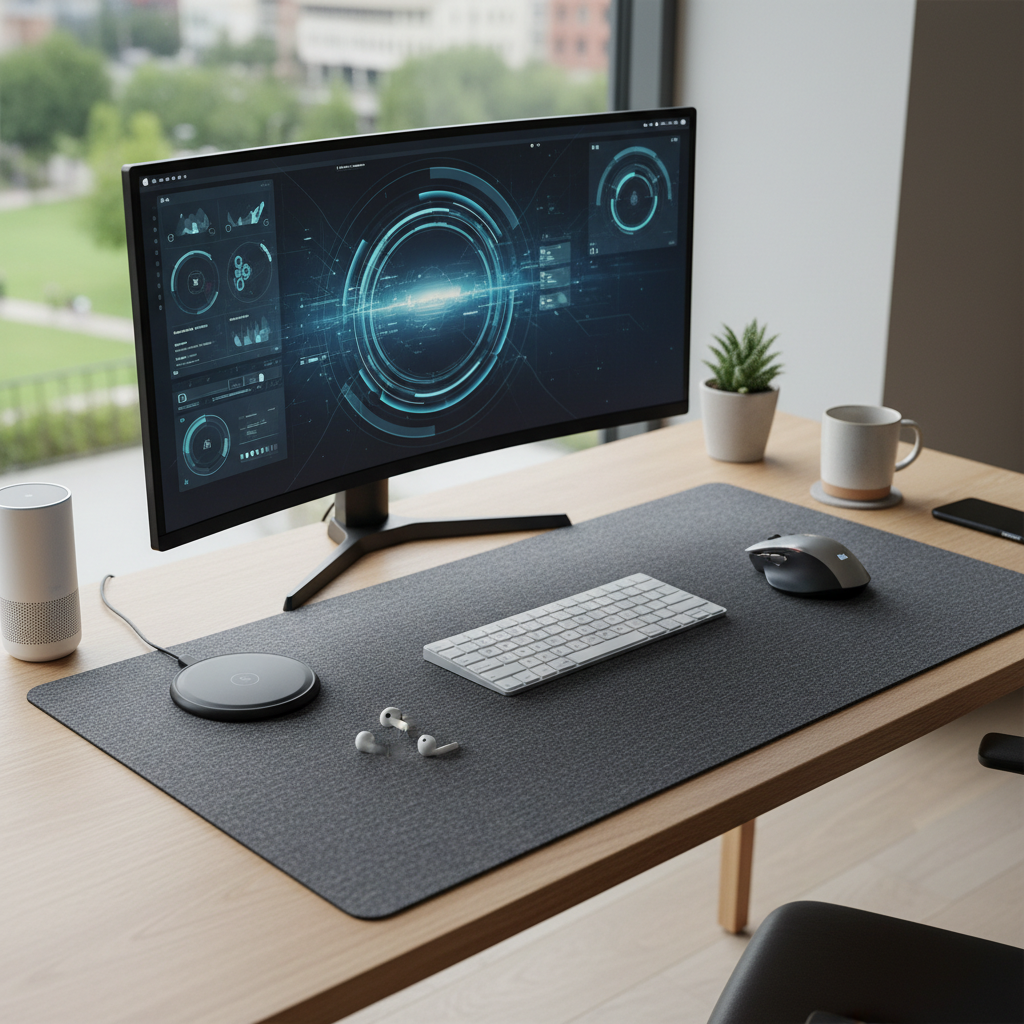
The concept of a “large” mouse pad has evolved far beyond a mere square for your mouse. Today’s extended mouse pads, often referred to as desk mats, are designed to cover a significant portion, if not the entirety, of your desk, housing both your keyboard and mouse on a single, continuous surface. This expansive area offers a multitude of benefits that smaller pads simply cannot match.
Primarily, a larger surface provides unparalleled space for precise and fluid mouse movements. For gamers who prefer low DPI (dots per inch) settings, requiring broad, sweeping motions, or for graphic designers needing pixel-perfect accuracy, this unrestricted freedom prevents you from “running off” the pad mid-action. This consistent tracking across the entire desk area can significantly enhance performance.
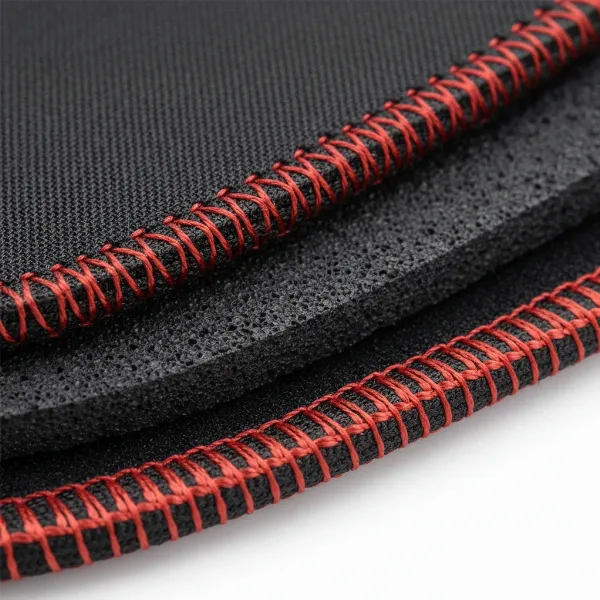
Moreover, a large mouse pad creates a unified and ergonomic setup. By accommodating both your keyboard and mouse, it ensures your hands and wrists remain on a soft, supportive surface, reducing fatigue and pressure during extended use. This extra cushioning is a welcome relief compared to resting directly on a hard desk, contributing to better posture and long-term comfort. Beyond ergonomics, a desk-sized pad acts as a protective layer for your valuable desk, guarding against scratches, spills, and general wear and tear. It also intrinsically contributes to a cleaner, more organized aesthetic by visually decluttering your workspace and providing a cohesive backdrop for your smart home devices. Another subtle but significant advantage is sound insulation; thicker pads can absorb keyboard vibrations and keystroke noise, fostering a quieter working or gaming environment. With a non-slip rubber base, these pads ensure unwavering stability, keeping your peripherals exactly where you need them, even during intense activity.
Common Large Mouse Pad Sizes
Large mouse pads come in a variety of dimensions to suit different desk sizes and user preferences. While there isn’t one universal standard, common sizes often fall into these categories:
- Standard Large: Typically around 14 x 12 inches (350 x 300 mm) or 13 x 11 inches, offering more generous space than a traditional pad.
- Extended/XL: Often 24-36 inches wide, such as 40 x 80 cm (15.75 x 31.5 inches) or 930 x 300 mm, providing room for both mouse and keyboard.
- XXL: Ranging from 36 x 16 inches (900 x 400 mm) to 45 x 95 cm (17.7 x 37.4 inches) or 940 x 410 mm, these pads cover a substantial portion of most desks.
- 3XL and Larger: Designed for full desk coverage, these can be 47.24 x 21.65 inches (1200 x 550 mm), 48 x 24 inches (1220 x 590 mm), or even a colossal 63 x 31.5 inches (1600 x 800 mm). These sizes offer the ultimate in unrestricted movement and a seamless desk aesthetic.
|
Our Picks for the Best Large mouse pad in 2026
As an Amazon Associate I earn from qualifying purchases.
|
||
| Num | Product | Action |
|---|---|---|
| 1 | Razer Gigantus V2 Cloth Gaming Mouse Pad (XXL): Thick, High-Density Foam - Non-Slip Base - Classic Black |

|
| 2 | Large Gaming Mouse Pad, 31.5x15.7 inch Large Extended Computer Keyboard Mouse Mat, Water Resist Non-Slip Mousepad Rubber Base Long XXL Desk Mouse Pad for Work & Gaming, Office & Home, Black |
|
| 3 | Mouse Pad, Large Gaming Mouse Pad with Double Stitched Edges, 14.9 x 11.7 inches Premium-Textured & Waterproof Mousepad, Nonslip Natural Rubber Base Mouse pad for Laptop,Computer, Office, Black |
|
| 4 | Aothia Non-Slip Waterproof PU Leather Desk Pad Protector for Mouse, Writing Desk, Office, Home, Laptop Blotter, 23.6" x 13.7", Black |
|
| 5 | SteelSeries QcK Gaming Mouse Pad - XXL Cloth - Peak Tracking and Stability - Esports Mousepad - Never-Slip - Full Desk Coverage |
|
| 6 | SteelSeries QcK Large Gaming Mousepad — Black — Non-Slip Silicone Rubber Base — Peak Tracking and Stability — Optimized for Gaming Sensors — 490 mm x 420 mm — FPS, MOBAs, RTS, MMO |
|
| 7 | TEDNETGO Large Gaming Mouse Pad, Waterproof Extra Large Big Mouse Pad with Stitched Edge, XXL Non-Slip Black Computer Long Mousepad Desk Mat for Gamer, Office & Home, Black |
|
| 8 | Amazon Basics Large Extended Computer Rectangular Mouse Pad, 16.7 x 35.7 inch, Black |
|
| 9 | KTRIO Large Gaming Mouse Pad Desk Mat, Superior Micro-Weave Cloth for Precise Mouse Control, Non-Slip Rubber Base, Stitched Edges, Water-Resistant, for Gamer, Office & Home, 31.5" x 11.8" inches |
|
| 10 | Large Extended Gaming Mouse Pad with Stitched Edges, (31.5X15.7In) Durable Non-Slip Natural Rubber Base, Waterproof Computer Keyboard Pad Mat for Esports Pros/Gamer/Desktop/Office/Home-Black |
|
The thickness of these pads typically ranges from 2mm to 4mm or more. Thicker pads, usually 4mm and above, provide superior comfort and wrist support, striking a balance between cushioning and precision. Thinner pads, around 1-2mm, offer a sleeker profile and are often favored for speed-focused applications.
Who Benefits from a Large Mouse Pad?
A large mouse pad is a game-changer for several types of users:
- Gamers: Especially those playing first-person shooters (FPS) with low DPI settings, where wide, uninterrupted mouse sweeps are crucial for competitive advantage.
- Graphic Designers and Creative Professionals: The expansive, consistent surface aids in intricate, precise movements for drawing, editing, and design work.
- Remote Workers and Students: Anyone spending long hours at their desk will appreciate the enhanced comfort, reduced wrist strain, and organized workspace.
- Smart Home Enthusiasts: Users aiming for a clean, unified, and aesthetically pleasing smart home desk setup will find that a large mouse pad ties all elements together visually.
“A large mouse pad isn’t just about ergonomics; it’s about creating a cohesive, functional ecosystem on your desk that supports both peak performance and intelligent design.”
Large Mouse Pad Surfaces: Speed, Control, and Hybrid
The surface material of your large mouse pad is a critical factor influencing mouse glide, tracking precision, and overall user experience. Broadly, surfaces are categorized into cloth, hard, and hybrid types, each with distinct advantages and disadvantages.
Cloth Surfaces
Cloth mouse pads are the most prevalent choice due to their versatility and comfort. They are typically made from woven fabrics like polyester, Lycra, or microfiber, sometimes with textured weaves designed for specific performance characteristics.
- Pros: Cloth surfaces offer high precision and excellent control, making them ideal for games requiring pinpoint accuracy, such as FPS titles. They are softer and more comfortable under the wrist and forearm, contributing to reduced fatigue during long sessions. Cloth pads also tend to dampen mouse movement noise, making them suitable for shared spaces or quiet smart home setups. They are generally more affordable and available in a vast array of sizes and designs, including many of the largest desk mats.
- Best for: Control-focused gaming, general productivity, creative work, and users prioritizing comfort and a quieter experience.
Hard Surfaces
Hard mouse pads are constructed from rigid materials like plastic, aluminum, or even glass, creating a slick, low-friction surface.
- Pros: The primary advantage of hard surfaces is speed. They allow the mouse to glide effortlessly with minimal resistance, which is favored by gamers who need rapid, sweeping movements, such as in MOBA or RTS games. Hard pads are also notably easy to clean, as they don’t absorb dust, sweat, or spills, and tend to be very durable against wear and tear.
- Cons: Hard surfaces can be noisier, amplifying mouse movements. They offer less cushioning, which might lead to discomfort during prolonged use. Due to their rigid nature, large hard pads are less common and more difficult to manufacture and ship, often limiting them to smaller sizes. They can also cause more wear on your mouse’s feet over time.
- Best for: Speed-focused gaming, users prioritizing minimal friction and easy maintenance.
Hybrid Surfaces
Hybrid mouse pads aim to strike a balance between the speed of hard surfaces and the control and comfort of cloth. These often feature specially textured cloth weaves or unique material compositions.
- Pros: Hybrid pads offer a “best of both worlds” scenario, providing a smooth glide for quick maneuvers while still offering enough resistance for precise, controlled movements. This makes them versatile for various gaming genres and productivity tasks.
- Best for: Users seeking a balanced experience that caters to both speed and control, adapting to different activities without needing to switch pads.
Large Mouse Pad Materials: Durability and Feel
Beyond the surface type, the underlying materials significantly impact a large mouse pad’s durability, stability, and overall feel. Understanding these materials helps in selecting a pad that will withstand daily use in your smart home.
Natural Rubber and Neoprene Bases
The most common material for the underside of cloth and hybrid mouse pads is natural rubber or synthetic neoprene foam.
- Natural Rubber: This material provides excellent grip, ensuring the mouse pad stays firmly in place on your desk, even during intense gaming sessions. It also offers a degree of cushioning and shock absorption, contributing to overall comfort and protecting your wrists. Natural rubber is highly durable and flexible, allowing large cloth pads to be rolled up for storage or transport without damage.
- Neoprene Foam: Similar to natural rubber, neoprene is a synthetic rubber known for its resilience and flexibility. Its closed-cell structure provides superior cushioning and shock absorption. It’s versatile, comfortable, reliable, sturdy, and often more affordable. Most neoprene pads come with a nylon backing, which also allows for vibrant prints and colors.
Other Materials
While cloth and rubber dominate the large mouse pad market, other materials offer distinct characteristics:
- PU Leather/Leather: Often found in desk mats designed for professional aesthetics, leather or PU leather pads provide a smooth, premium-looking surface. They offer good glide and are effective at protecting your desk. While not typically as large as fabric desk mats, extended leather pads are available and can add a sophisticated touch to your smart home setup.
- Glass: Glass mouse pads offer an extremely smooth and fast surface, making them highly durable and easy to clean. However, they are generally more expensive, can be noisy, and their rigidity means they don’t provide any cushioning, potentially leading to discomfort during long sessions. Large glass pads are rare due to fragility.
- Metal (e.g., Aluminum): Metal pads are strong, long-lasting, and provide a fast surface. Like glass, they are easy to clean. However, they lack cushioning and can feel cold or hard under the wrist. Large metal pads also tend to be less common because of manufacturing complexities and cost.
Thickness Matters
The thickness of a large mouse pad plays a crucial role in comfort, stability, and feel.
- Thicker Pads (4mm and above): These provide the most cushioning, significantly enhancing comfort and reducing wrist pressure. They also tend to lay flatter on uneven surfaces and offer better sound dampening for keystrokes. Many large and extended pads fall into this category, providing a plush experience.
- Medium-Thick Pads (3mm): Offering a good balance, these pads provide decent comfort and stability without being overly bulky. Many popular gaming mouse pads come in this thickness.
- Thinner Pads (1-2mm): These offer a sleeker, more minimalist profile and are often favored for speed, as they provide less resistance. However, they offer less cushioning and might highlight desk imperfections.
Leading Large Mouse Pad Brands
When investing in a large mouse pad for your modern smart home, several reputable brands stand out for their quality, innovation, and diverse offerings. Each brand brings its unique strengths, catering to different preferences in surface, material, size, and features.
SteelSeries
SteelSeries is a titan in the gaming peripheral industry, and their QcK series of mouse pads is legendary for its reliability and consistent performance. The SteelSeries QcK Heavy XXL and other larger variants (3XL, 4XL, 5XL) are highly popular.
- Key Features: These pads typically feature a smooth cloth surface, available in speed or control versions, designed for optimal tracking across all mouse sensors. They are known for their durable stitched edges (though some older models might not have them), and a thick non-slip rubber base. The “Heavy” versions are particularly thick, offering superior comfort and dampening keyboard noise.
- Smart Home Appeal: Their minimalist, all-black aesthetic seamlessly integrates into most modern setups. SteelSeries also offers QcK Prism series pads with customizable RGB lighting, allowing for dynamic lighting synchronization with other smart home elements or gaming setups.
Razer
Razer is synonymous with high-performance gaming gear, and their large mouse pads are no exception, combining functionality with distinctive design.
- Key Features: The Razer Gigantus V2 is a prominent soft gaming mouse pad, available in sizes up to 3XL. It boasts a textured micro-weave cloth surface optimized for pixel-precise accuracy and fluid swipes. These pads feature a thick, high-density rubber foam with an anti-slip base, ensuring stability. Razer also offers the Goliathus Chroma, which includes vibrant RGB lighting along its edges, and the Razer Strider, a hybrid surface pad.
- Smart Home Appeal: Razer’s design language, often featuring sleek black or quartz finishes, fits well into modern aesthetics. The Chroma RGB lighting on certain models provides an avenue for personalization and integration into a smart home’s lighting ecosystem.
Corsair
Corsair offers a robust line of gaming peripherals, including large mouse pads that prioritize durability and performance.
- Key Features: Corsair’s MM series (e.g., MM300, MM350, MM700) includes extended and 3XL sizes. Many of their pads feature premium, spill-proof cloth surfaces designed for longevity and ease of cleaning. Models like the MM700 also incorporate dynamic RGB lighting, enhancing the visual appeal of your desk. Corsair pads are generally well-regarded for their strong, anti-fray stitched edges and reliable rubber bases.
- Smart Home Appeal: With options for both subtle designs and integrated RGB, Corsair pads can either blend into a minimalist smart home or become a vibrant centerpiece, controllable through Corsair’s iCUE software.
Logitech
Logitech, a leader in computer peripherals, provides large mouse pads that cater to both gamers and general users with a focus on performance and reliability.
- Key Features: The Logitech G840 XL is a popular extra-large cloth gaming mouse pad (often 900x400mm). It features a performance-tuned surface specifically engineered for Logitech G mice, ensuring optimal sensor imagery and tracking consistency. Its 3mm thick rubber base provides excellent stability. Logitech also offers the G640 (large cloth) and Studio Series Desk Mats, which are comfortable, anti-slip, and spill-resistant, making them ideal for productivity in a smart home setting.
- Smart Home Appeal: Logitech’s designs are typically understated and functional, fitting seamlessly into a clean, modern workspace. Their focus on precision and durability aligns with the expectations of a high-tech smart home setup.
Glorious PC Gaming Race
Glorious is a community-driven brand known for its high-quality, enthusiast-grade peripherals, including highly-regarded large mouse pads.
- Key Features: Glorious’s XXL and 3XL mouse pads are celebrated for their smooth, low-friction cloth surfaces, robust stitched edges to prevent fraying, and anti-slip rubber bases. They are optimized for both speed and control, offering a balanced glide. Glorious also releases limited edition printed designs, adding a unique aesthetic element.
- Smart Home Appeal: Glorious pads often come in minimalist designs, but their limited edition prints allow for a personalized touch that can complement specific smart home themes or color schemes, appealing to users who want their workspace to reflect their individual style.
Detailed Comparison of Popular Large Mouse Pads
Choosing the right large mouse pad can be daunting with so many excellent options available. To help simplify your decision, here’s a detailed comparison of some popular models from leading brands, highlighting their key characteristics, advantages, and potential drawbacks.
| Product Name | Brand | Size (mm/inches) | Surface Material | Base Material | Thickness (mm) | Key Features | Pros | Cons |
|---|---|---|---|---|---|---|---|---|
| QcK Heavy XXL | SteelSeries | 900x400mm / 35.4×15.7 in | Micro-woven Cloth | Natural Rubber | 6 | Extra thick, highly durable | Excellent control, superb comfort, noise dampening | Can absorb humidity, slower glide |
| Gigantus V2 3XL | Razer | 1200x550mm / 47.2×21.6 in | Textured Micro-weave Cloth | High-Density Rubber Foam | 4 | Pixel-precise tracking, anti-slip base | Vast space, balanced speed/control, durable | Large size may not fit all desks |
| MM350 PRO Extended XL | Corsair | 930x400mm / 36.6×15.7 in | Spill-Proof Micro-weave Cloth | Anti-skid Rubber | 4 | Spill-resistant, anti-fray stitched edges | Excellent durability, easy to clean, good glide | Limited aesthetic options (mostly black) |
| G840 XL | Logitech | 900x400mm / 35.4×15.7 in | Performance-tuned Cloth | Natural Rubber | 3 | Optimized for Logitech G sensors | Consistent tracking, moderate friction, stable | Slightly thinner than “heavy” pads |
| Glorious XXL Gaming Mouse Pad | Glorious PC Gaming Race | 914x457mm / 36×18 in | Smooth Cloth | Non-slip Rubber | 3 | Anti-fray stitched edges | Great balance of speed/control, clean aesthetic | Standard thickness, limited stock on special prints |
(Note: “Speed” and “Control” are subjective and can vary based on user preference and mouse skates. This table provides a general overview based on common perceptions and product descriptions.)
Choosing Your Ideal Large Mouse Pad for a Smart Home
Selecting the perfect large mouse pad for your modern smart home involves more than just picking the biggest one. It requires a thoughtful consideration of your individual needs, your workspace, and how the pad will integrate into your overall smart home aesthetic and functionality.
1. Assess Your Desk Space
Before anything else, measure your available desk area carefully. Consider the dimensions of your monitor stand, speakers, smart display, and any other peripherals. While a 3XL pad offers ultimate freedom, it might overwhelm a smaller desk, leading to overhangs or a cluttered look. Ensure there’s at least a couple of inches of clearance on all sides to allow the pad to lie flat and unencumbered.
2. Consider Your Use Case
Your primary activities at the desk should heavily influence your choice.
- Gaming: If you’re a competitive gamer, especially in FPS titles, a large cloth pad with a focus on control (like the SteelSeries QcK Heavy) will offer the precision needed for flick shots and accurate tracking. For fast-paced genres like MOBA or RTS, a speed-oriented cloth or even a hard surface might be preferred for rapid mouse movements.
- Productivity/Work: For general office tasks, coding, or browsing, comfort and a smooth, consistent surface are key. A balanced cloth pad or even a comfortable leather desk mat (if size permits) will suffice. The enhanced cushioning of a thicker pad can significantly reduce strain during long workdays.
- Creative Work (Design/Editing): Similar to gaming, precision is paramount. A control-focused cloth pad or a hybrid surface can provide the tactile feedback and fine-tuned control required for intricate design work.
3. Surface Preference: Speed, Control, or Hybrid?
This is largely a matter of personal feel and application:
- Cloth (Control/Balanced): Best for most users. Offers good stopping power, comfortable wrist support, and generally quieter operation. Ideal for precision tasks and general use.
- Hard (Speed): For those who demand the fastest glide with minimal friction. Be aware of potential noise and reduced comfort.
- Hybrid: A great compromise, offering a balance of both worlds. Look for textured fabric weaves that provide enough glide for speed but also sufficient resistance for control.
4. Material and Durability
Consider the long-term aspect:
- Base Material: Always opt for a pad with a high-quality, non-slip natural rubber or neoprene base to prevent unwanted movement.
- Surface Material: Look for durable, tightly woven cloth that resists fraying. Many modern cloth pads feature stitched edges, which significantly extend their lifespan by preventing peeling. Spill-resistant coatings, like those found on some Corsair pads, are a practical bonus for any smart home.
- Thickness: Remember that a thicker pad (4mm+) generally offers more comfort and dampens sound more effectively, while thinner pads are sleeker.
5. Aesthetics and Smart Home Integration
Your large mouse pad can be a powerful statement piece in your smart home.
- Color and Style: Does your smart home feature minimalist, monochrome tones, or vibrant RGB lighting? A plain black or gray large mouse pad will blend seamlessly. If you prefer a pop of color or a unique design, brands like Glorious offer various prints.
- RGB Lighting: For smart home enthusiasts who love integrated lighting, RGB mouse pads (like the SteelSeries QcK Prism or Razer Goliathus Chroma) can sync with your other smart devices, creating a dynamic and immersive environment. Just remember to spot clean these carefully to avoid damaging the electronics.
6. Read Reviews and Set a Budget
Finally, before making a purchase, always consult user reviews to get real-world insights into a product’s performance and durability. Large mouse pads vary widely in price based on size, features, and brand. Set a budget, but remember that investing a little more in a quality pad can lead to a significantly better and longer-lasting experience.
Cleaning and Maintaining Your Large Mouse Pad
Maintaining your large mouse pad is crucial not only for hygiene but also for preserving its performance and extending its lifespan. Dust, sweat, food particles, and spills can all affect mouse tracking and the overall feel of the surface.
Regular Cleaning
For day-to-day upkeep, simple habits can make a big difference:
- Shake it Out: Periodically take your mouse pad outside and give it a good shake to dislodge loose dust and crumbs.
- Wipe Down: For minor dust and fingerprints, a quick wipe with a damp microfiber cloth is usually sufficient.
Deep Cleaning (for Cloth Pads)
For a more thorough clean, hand washing is generally the most recommended and safest method for cloth mouse pads, especially larger ones. Avoid machine washing or using a dryer, as high heat and agitation can damage the material, rubber base, or custom prints.
- Prepare: Lay your mouse pad flat in a clean sink or bathtub.
- Dampen: Lightly dampen the entire pad with cool or lukewarm water. Avoid hot water, as it can cause colors to fade or the rubber to degrade.
- Apply Soap: Add a few drops of mild hand soap, diluted dish soap, or a gentle shampoo to the surface. Avoid harsh chemicals or abrasive cleaners.
- Gentle Scrub: Using your fingertips, a soft sponge, or a soft-bristle toothbrush, gently scrub the affected areas in circular motions. Focus on any stains or heavily soiled spots, but avoid aggressive scrubbing that could damage the fabric.
- Rinse Thoroughly: Rinse the mouse pad under cool, running water until all soap residue is completely gone. This may take several minutes for larger pads. Ensure no suds remain, as dried soap can leave a sticky residue.
- Pat Dry: Gently pat the mouse pad with a clean, dry towel to remove excess water. Do not wring or twist the fabric, as this can deform the pad.
- Air Dry: Lay the mouse pad flat on a clean towel or hang it over a shower rod to air dry completely. This can take 12-24 hours depending on humidity and thickness. Ensure both sides are dry before placing it back on your