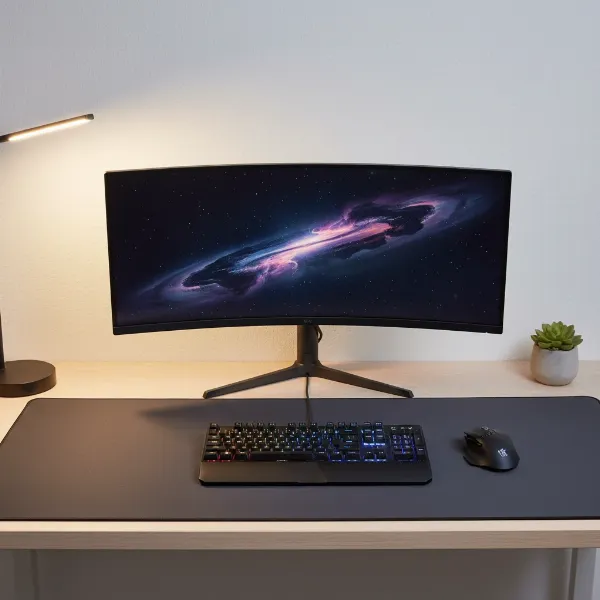
The surface beneath your hands is far more critical to your comfort, productivity, and gaming performance than many realize. In the quest for the ultimate desk setup, you’ll inevitably encounter two popular options: the large mouse pad and the desk mat. While often used interchangeably, these extended surfaces cater to slightly different needs and preferences. Understanding their unique features and shared benefits is key to selecting the ideal companion for your workspace. This guide will clarify the distinctions, delve into the advantages, explore material choices, and help you determine whether a large mouse pad or a desk mat is the right investment for your specific demands.
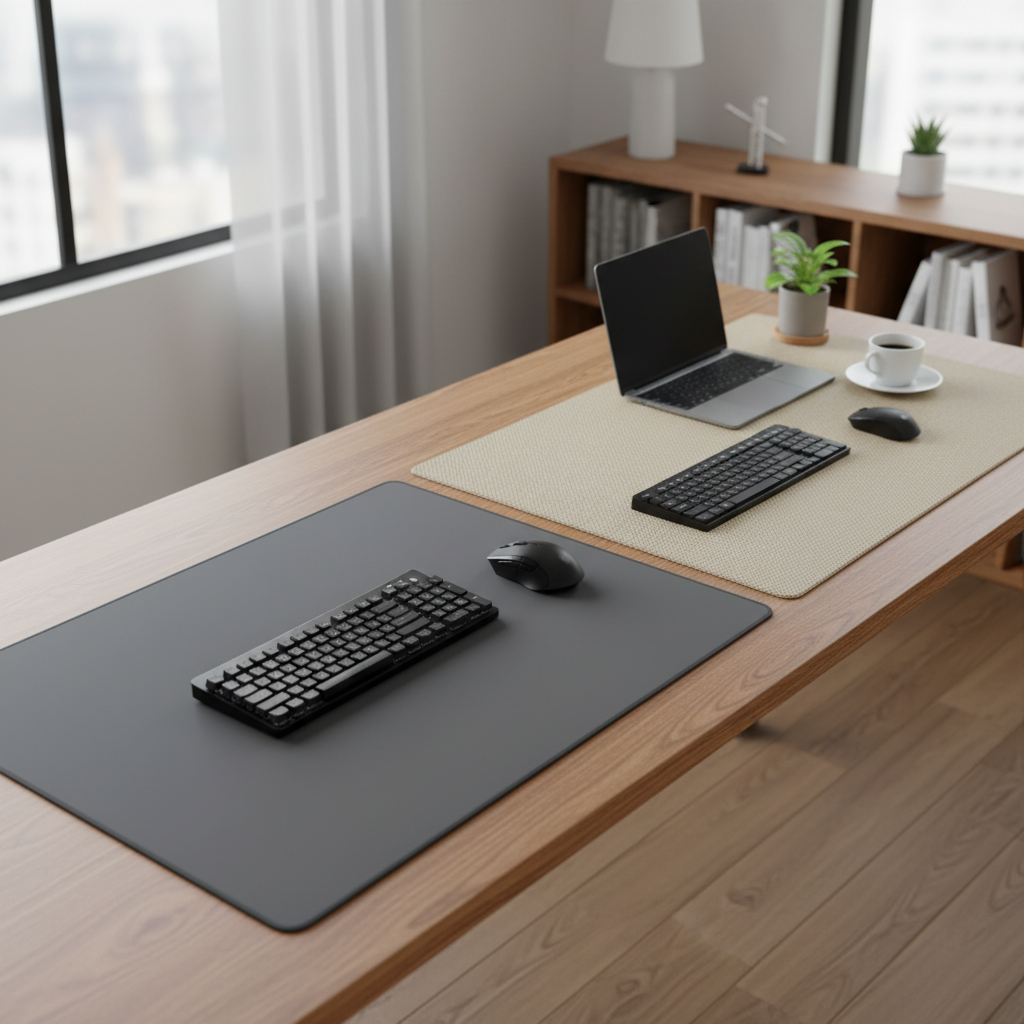
The Essential Differences: Large Mouse Pad vs. Desk Mat
At first glance, a large mouse pad and a desk mat can appear to be the same, primarily due to their similar expansive size. However, their core design philosophies and primary functions reveal subtle yet important differences that cater to various user needs.
A large mouse pad, also frequently referred to as an extended mouse pad, is fundamentally an oversized version of a traditional mouse pad. Its primary purpose is to provide a vast, uninterrupted surface for your mouse, ensuring maximum freedom of movement, especially crucial for gamers who use low sensitivity settings. While it extends to cover the area beneath your keyboard, its central focus remains on optimizing mouse performance. These pads are typically designed with gaming in mind, emphasizing consistent tracking, glide, and durability for intense sessions.
Conversely, a desk mat offers a broader, multi-functional approach to desk coverage. Beyond serving as an excellent surface for mouse movement, a desk mat is designed to encompass a significant portion of your desk, often sitting beneath your keyboard, mouse, and various desk accessories. Its objectives extend to protecting your desk from scratches, spills, and daily wear, enhancing the overall aesthetics of your workspace, and contributing to a more organized and cohesive environment. Desk mats transform your entire work area into a unified zone, providing comfort for your wrists and arms across a wider surface.
The key distinction, therefore, lies in their primary emphasis. A large mouse pad prioritizes mouse performance and movement space, while a desk mat focuses on comprehensive desk protection, aesthetic integration, and ergonomic comfort for the entire workspace, while still offering a superior mouse surface. In many practical scenarios, a very large mouse pad can effectively double as a desk mat, blurring the lines between the two, particularly for users who value a unified surface for both their keyboard and mouse.
Why Larger is Often Better: Benefits of Extended Surfaces
Whether you opt for a large mouse pad or a dedicated desk mat, choosing an extended surface offers a multitude of advantages over a standard, compact mouse pad. These benefits significantly impact comfort, performance, and the overall look of your workspace.
Ample Movement Space for Precision
|
Our Picks for the Best Large mouse pad in 2026
As an Amazon Associate I earn from qualifying purchases.
|
||
| Num | Product | Action |
|---|---|---|
| 1 | Large Gaming Mouse Pad, 31.5x15.7 inch Large Extended Computer Keyboard Mouse Mat, Water Resist Non-Slip Mousepad Rubber Base Long XXL Desk Mouse Pad for Work & Gaming, Office & Home, Black |

|
| 2 | Aothia Non-Slip Waterproof PU Leather Desk Pad Protector for Mouse, Writing Desk, Office, Home, Laptop Blotter, 23.6" x 13.7", Black |
|
| 3 | SteelSeries QcK Gaming Mouse Pad - XXL Cloth - Peak Tracking and Stability - Esports Mousepad - Never-Slip - Full Desk Coverage |
|
| 4 | Mouse Pad, Large Gaming Mouse Pad with Double Stitched Edges, 14.9 x 11.7 inches Premium-Textured & Waterproof Mousepad, Nonslip Natural Rubber Base Mouse pad for Laptop,Computer, Office, Black |
|
| 5 | KTRIO Large Gaming Mouse Pad Desk Mat, Superior Micro-Weave Cloth for Precise Mouse Control, Non-Slip Rubber Base, Stitched Edges, Water-Resistant, for Gamer, Office & Home, 31.5" x 11.8" inches |
|
| 6 | Razer Gigantus V2 Cloth Gaming Mouse Pad (XXL): Thick, High-Density Foam - Non-Slip Base - Classic Black |
|
| 7 | TEDNETGO Large Gaming Mouse Pad, Waterproof Extra Large Big Mouse Pad with Stitched Edge, XXL Non-Slip Black Computer Long Mousepad Desk Mat for Gamer, Office & Home, Black |
|
| 8 | SteelSeries QcK Large Gaming Mousepad — Black — Non-Slip Silicone Rubber Base — Peak Tracking and Stability — Optimized for Gaming Sensors — 490 mm x 420 mm — FPS, MOBAs, RTS, MMO |
|
| 9 | Amazon Basics Large Extended Computer Rectangular Mouse Pad, 16.7 x 35.7 inch, Black |
|
| 10 | Large Extended Gaming Mouse Pad with Stitched Edges, (31.5X15.7In) Durable Non-Slip Natural Rubber Base, Waterproof Computer Keyboard Pad Mat for Esports Pros/Gamer/Desktop/Office/Home-Black |
|
One of the most compelling reasons to choose an extended surface is the sheer amount of space it provides for mouse movement. For gamers, especially those playing First-Person Shooters (FPS) with low DPI (dots per inch) settings, vast sweeping motions are essential for precise aiming and tracking. A large mouse pad or desk mat ensures your mouse never runs off the edge during a critical moment, preventing frustrating interruptions and allowing for uninterrupted, fluid movements. Beyond gaming, this extra space is also beneficial for creative professionals who require fine motor control in graphic design or video editing, enabling more natural and less constrained hand movements.
Enhanced Ergonomics and Comfort
Extended desk surfaces dramatically improve ergonomics by providing a continuous, cushioned area for your wrists and forearms. Resting your arms on a hard desk for prolonged periods can lead to discomfort, strain, and even repetitive strain injuries (RSIs). A soft, padded large mouse pad or desk mat alleviates pressure points, promotes a more relaxed posture, and reduces fatigue during long work sessions or intense gaming marathons. This subtle cushioning makes a significant difference in long-term comfort and well-being.
[image-1|large-mouse-pad-ergonomics-comfort|Ergonomic setup with a large mouse pad supporting wrists and forearms for comfort.|
A close-up, eye-level shot of a person’s hands and wrists comfortably resting on a large, soft-surfaced mouse pad. The mouse and keyboard are also on the mat. The lighting is soft and natural, emphasizing the ergonomic benefits. The style is realistic and inviting, with a subtle depth of field.]
Superior Desk Protection
A significant, often overlooked, benefit of both large mouse pads and desk mats is the comprehensive protection they offer your desk surface. They act as a barrier against scratches from keyboard movement, mouse abrasion, accidental spills, and even heat from electronic devices. This is particularly valuable for expensive wooden, glass, or delicate desk finishes, helping to preserve their condition and extend their lifespan. Investing in a quality extended surface can save you from costly repairs or the need to replace a damaged desk prematurely.
Unified Aesthetic and Organization
Beyond practical benefits, extended surfaces play a crucial role in transforming the aesthetic and organization of your workspace. A large mouse pad or desk mat can unify your peripherals—keyboard, mouse, and even monitor stands—into a single, cohesive unit. This creates a visually balanced and intentional setup, making your desk appear less cluttered and more inviting. Available in a vast array of colors, patterns, and designs, these mats allow for significant personalization, enabling you to express your style and tailor your workspace to your desired ambiance. They can hide existing blemishes on your desk and provide a clean slate for a fresh look.
Improved Performance
For tasks requiring precision, such as gaming or graphic design, the consistent surface texture of a quality large mouse pad or desk mat ensures accurate mouse tracking. Unlike a bare desk, which might have imperfections or varying textures, an extended mat provides a uniform glide, minimizing drag and improving the responsiveness of your mouse. This consistent performance translates to better control, speed, and precision in your movements, giving you a competitive edge or enhancing your workflow efficiency.
Surface and Material Matters: Finding Your Perfect Feel
The material and surface type of your large mouse pad or desk mat significantly influence its feel, performance, durability, and ease of maintenance. Understanding these options is crucial for making an informed choice that aligns with your specific needs.
Cloth/Fabric Surfaces
Cloth or fabric surfaces are arguably the most popular choice for extended mats. Typically made from polyester, Lycra, or microfiber, these mats often feature a soft, woven texture. They offer a good balance between speed and control, making them versatile for both general computing and specific gaming styles, particularly FPS games where precise, controlled movements are paramount. Fabric surfaces provide excellent tracking for both optical and laser mice and are comfortable for wrists and forearms. They are generally affordable, flexible, and many are machine washable, making maintenance relatively straightforward. Some fabric mats may have textured finishes for more control, while smoother weaves aim for faster glide.
Hard (Plastic, Aluminum, Glass) Surfaces
For users prioritizing raw speed and ultra-low friction, hard surface mats are an excellent option. Constructed from materials like plastic, aluminum, or tempered glass, these mats provide an exceptionally smooth, rigid surface that allows for swift, effortless mouse movements. They are highly durable, resistant to wear, and very easy to clean with a simple wipe. Hard surfaces are favored by some competitive gamers who demand the fastest possible glide. However, they can be louder, less forgiving on mouse feet, and may lack the ergonomic cushioning of softer materials. Some hard mats might also have less visual appeal or feel colder to the touch compared to fabric or leather options.
[image-2|desk-mat-materials-comparison|Various materials for desk mats including fabric, leather, and hard plastic.|
An overhead, flat lay shot showcasing three distinct desk mat materials: a soft, dark grey fabric mat, a smooth, tan leather mat, and a sleek, translucent hard plastic mat. Each mat is shown with a corner slightly lifted to reveal its texture and thickness. The lighting is bright and even, highlighting the material differences. The style is clean and editorial, suitable for a product comparison.]
Hybrid Surfaces
Hybrid surfaces aim to offer the best of both worlds, combining elements of cloth and hard mats. These surfaces often feature a treated cloth or a unique blend of materials that provide a faster glide than traditional cloth but retain some of the control and comfort. Many hybrid mats are also designed to be water-resistant and easier to clean than standard fabric, striking a desirable balance for users who need versatility. They are an excellent choice for gamers who play a variety of genres or for those who desire a responsive yet controlled mouse experience without the full rigidity of a hard pad.
Premium Materials (Leather, Felt, Linoleum)
For those seeking to elevate their workspace aesthetics and tactile experience, premium materials like leather, felt, and natural linoleum offer distinct advantages.
- Leather/PU Leather mats provide a luxurious, professional look. They are durable, easy to wipe clean, and develop a unique patina over time. While not as fast as hard surfaces, they offer a smooth glide and substantial desk protection.
- Felt mats, often made from merino wool, offer a soft, warm, and comfortable surface. They excel at dampening keyboard noise and provide a cozy feel. They resist fraying and add a sophisticated, natural texture.
- Natural Linoleum mats provide a smooth, soft, and slightly textured surface that is excellent for writing. They offer a refined, matte finish and are made from natural, eco-friendly components.
Base Materials
Regardless of the surface, a crucial component of any extended mat is its base. The most common and effective base material is natural rubber or synthetic rubber (such as neoprene or silicone). These materials provide exceptional grip, preventing the mat from sliding around on your desk during intense movements. A good rubber base ensures stability, enhances comfort by adding cushioning, and acts as an additional protective layer for your desk. Some premium options may use polyurethane foam bases, offering similar anti-slip and cushioning properties.
Sizing Up Your Space: Choosing the Right Dimensions
The size of your large mouse pad or desk mat is perhaps the most critical factor after material, as it directly impacts your comfort, workflow, and desk aesthetics. While “large” is subjective, understanding common dimensions and what they accommodate will help you choose wisely.
Standard mouse pads typically measure around 240-300mm x 200-250mm, offering just enough space for basic mouse movement. However, when we talk about “large mouse pads” or “desk mats,” we’re entering a realm of much more expansive surfaces.
Common dimensions for extended surfaces include:
- Large/Extended Mouse Pads: Often ranging from 450-500mm x 350-450mm, providing ample room for low-DPI gaming and sweeping mouse movements while keeping the keyboard on the mat.
- Full-Size Desk Mats (XXL/3XL): These are the largest options, frequently measuring 800x300mm, 900x400mm, 1000x500mm, 1200x600mm, or even larger. These mats are designed to cover a substantial portion, if not the entire area, of a standard desk, accommodating both keyboard and mouse with plenty of room for other accessories like monitors, speakers, or notebooks.
When selecting the right size, consider these factors:
- Your Desk Dimensions: This is the most obvious starting point. Measure the length and width of your desk to ensure the mat fits without hanging over the edges or looking disproportionate. Consider any desk features like monitor arms or cable grommets that might dictate placement.
- Peripheral Layout: How do you position your keyboard, mouse, and other essential items? Do you prefer your keyboard centered with plenty of mouse room to the right? Or do you need space for multiple monitors, a laptop, and a notepad all on the mat? An extended surface allows for a unified layout, keeping everything anchored.
- Your Activities:
- Gaming: Low-DPI gamers benefit immensely from wider mats (e.g., 900x400mm and up) to perform large, precise swipes without lifting their mouse. High-DPI gamers might get by with slightly smaller large pads, but the added comfort and consistency of a full desk mat are still advantageous.
- Work/Productivity: For general office work, a mat that covers both your keyboard and mouse provides ergonomic benefits and a clean aesthetic. If you frequently write or use other physical tools on your desk, a larger desk mat offers a dedicated, protected surface for these tasks.
- Personal Preference: Do you prefer a minimalist look that highlights your desk’s natural finish, or do you want a vast, unified surface that defines your entire workspace? Some users prefer just enough space for their peripherals, while others enjoy the feeling of an expansive, padded environment.
Choosing the right size is about balancing available desk real estate with your functional needs and aesthetic desires, ensuring your chosen mat enhances, rather than hinders, your daily interactions with your computer.
Top Brands and Products: A Comparative Look
The market for large mouse pads and desk mats is robust, with numerous brands offering a diverse range of products. While specific product recommendations can become outdated quickly, understanding the leading brands and their general offerings helps in navigating your choices.
Leading Brands for Gaming-Focused Large Mouse Pads
These brands are renowned for their performance-oriented large mouse pads, often designed with competitive gaming in mind:
- SteelSeries: Known for their QcK series, which includes various sizes up to XXL and 3XL. They offer reliable cloth surfaces that provide excellent control and consistent tracking, often with durable stitched edges. The QcK Heavy variations offer extra thickness for added cushioning.
- Razer: Offers a wide array of gaming mats, including the Goliathus (cloth, speed/control options), Strider (hybrid surface for speed and control), and Atlas (tempered glass for ultimate speed). Razer frequently incorporates RGB lighting into some of its extended mats (e.g., Goliathus Extended Chroma), blending performance with aesthetics.
- Corsair: Their MM series, like the MM300 Pro Extended and MM350 Pro, provide large, spill-proof cloth surfaces with stitched edges, balancing durability and performance for various gaming styles.
- Logitech: Offers both cloth (e.g., G840 XL) and hard (e.g., G440 Hard) large mouse pads, catering to different preferences for speed and control. Their products often integrate seamlessly with their gaming peripherals.
- Glorious PC Gaming Race: Famous for their minimalist yet high-performance Glorious Elements series (offering speed and control surfaces) and their standard cloth pads available in massive sizes up to 3XL, designed for serious gamers.
- HyperX: The Pulsefire series offers large RGB mouse mats, providing spacious and visually appealing surfaces for gamers.
These brands often emphasize features like low-friction surfaces, anti-slip rubber bases, and durable stitched edges, catering to the demanding needs of gamers who require precision and responsiveness.
Leading Brands for Productivity and Aesthetic-Focused Desk Mats
For those prioritizing a blend of style, organization, protection, and comfort in a professional or creative workspace, these brands stand out:
- Grovemade: Highly regarded for its premium desk mats made from natural materials like vegetable-tanned leather, merino wool felt, and natural linoleum. Their products emphasize craftsmanship, minimalist aesthetics, and functional design, often with integrated storage options in their Studio Pads.
- OrbitKey: Known for innovative desk mats that incorporate organizational features like magnetic cable holders and hidden document pockets, alongside stylish designs made from vegan leather.
- Native Union: Offers eco-friendly desk mats made from recycled synthetic materials, featuring double-sided, reversible designs for versatility and longevity.
- Beckett Simonon: Focuses on full-grain leather desk pads that age beautifully, offering a sophisticated look and feel with natural non-slip and water-resistant properties.
- Aothia, Ysagi, Knodel: Popular on platforms like Amazon, these brands offer more budget-friendly desk mats, often made from PU leather, providing good value for basic desk protection and aesthetic enhancement.
These brands often highlight materials like leather or felt for their tactile quality and executive appeal, alongside features that help organize and declutter a workspace. Many offer various color options to match diverse office aesthetics.
Ultimately, the “best” brand or product depends entirely on your personal preferences, budget, and primary use case. For intense gaming, prioritize surface glide and tracking. For a refined office, focus on premium materials and organizational features.
Making Your Choice: Important Considerations
Deciding between a large mouse pad and a desk mat, or selecting the perfect one within these categories, involves weighing several factors unique to your setup and habits. Here’s a breakdown of key considerations to guide your purchase.
Primary Use: Gaming vs. Work
- For Gamers: If your main concern is gaming performance, especially in genres like FPS or RTS, prioritize the mat’s surface type (speed vs. control) and its size for ample mouse movement. Look for consistent tracking, durable stitched edges, and an anti-slip base. Many “large mouse pads” are specifically engineered for these demands.
- For Professionals/Productivity: If your workspace is primarily for work, study, or general computing, a desk mat offering comprehensive desk protection, aesthetic integration, and ergonomic comfort across a wider area might be more beneficial. Materials like leather or felt can add a professional touch, while organizational features (like cable management) can streamline your workflow.
Desk Space & Setup
Before buying, measure your desk carefully. Consider:
- Available Surface Area: Ensure the mat will fit without overcrowding or hanging off the edges.
- Peripheral Layout: Plan where your keyboard, mouse, monitor stand, and other accessories will sit. Do you need a mat large enough to house all of them for a unified look?
- Existing Features: Account for desk grommets, built-in storage, or monitor arms that might affect the mat’s placement or size. A desk mat that perfectly frames your setup can significantly enhance its visual appeal.
[image-3|desk-setup-large-mouse-pad-dimensions|A clean desk setup with a large mouse pad accommodating a keyboard and mouse, illustrating optimal dimensions.|
An elevated, slightly angled shot of a modern, minimalist desk setup. A large, dark-colored desk mat covers most of the desk surface, with a mechanical keyboard and a gaming mouse placed neatly on it. There’s ample room around the peripherals. A sleek monitor sits atop the mat. The lighting is soft and even, highlighting the clean lines and functionality of the setup.]
Material Preference
The material impacts not only performance but also feel, durability, and aesthetics:
- Feel: Do you prefer the soft, cushioned feel of cloth or felt, or the smooth, rigid glide of plastic or glass?
- Durability: Hard surfaces tend to be very long-lasting, while high-quality cloth or leather mats also offer excellent longevity with proper care.
- Ease of Cleaning: Hard, leather, and hybrid surfaces are generally easier to wipe clean than porous cloth mats, which may require more thorough washing for deep stains.
- Aesthetics: Choose a material and design that complements your room decor and personal style.
Aesthetics
Your mat is a prominent feature of your desk. Consider:
- Color and Pattern: From solid colors to intricate designs, choose something that enhances your workspace’s visual harmony.
- Overall Vibe: Do you want a professional, minimalist look (leather, felt, plain cloth) or a vibrant, personalized statement (graphic-print cloth mats)?
Budget
Prices for large mouse pads and desk mats vary widely:
- Affordable: Standard cloth mats and basic PU leather mats are generally budget-friendly, offering good performance and protection without a high cost.
- Mid-Range: Hybrid surfaces and more durable cloth mats from gaming brands often fall into this category, providing a balance of features and price.
- Premium: Genuine leather, merino wool felt, or specialized hard glass mats tend to be at the higher end, reflecting superior materials, craftsmanship, and unique features.
Additional Features
Some mats come with extra functionalities that might sway your decision:
- Stitched Edges: Prevents fraying and increases durability, common in quality cloth and hybrid mats.
- Wireless Charging: Some desk mats integrate wireless charging pads for your smartphone or compatible devices.
- Cable Management: Built-in loops or channels to help keep your cables tidy.
- Wrist Rests: While less common on full desk mats, some extended mouse pads might include integrated wrist support.
By carefully evaluating these aspects against your individual needs and preferences, you can confidently select the large mouse pad or desk mat that truly enhances your daily computing experience.
Caring for Your Extended Surface: Maintenance Tips
Proper care and maintenance can significantly extend the lifespan and preserve the appearance of your large mouse pad or desk mat. Different materials require specific cleaning approaches to ensure they remain in top condition.
Cleaning Cloth/Fabric Mats
Cloth and fabric mats are prone to collecting dust, sweat, and spills, but they are generally straightforward to clean:
- Regular Dusting: Use a lint roller, a soft brush, or a microfiber cloth daily or weekly to remove loose dust and debris.
- Spot Cleaning: For small spills or stains, immediately blot the area with a damp cloth and a small amount of mild soap (e.g., dish soap). Gently rub in a circular motion, then wipe clean with a fresh damp cloth.
- Deep Cleaning (Hand Wash): For a thorough clean, hand wash the mat in a sink or tub with lukewarm water and a small amount of mild soap. Avoid harsh detergents or bleach. Gently scrub the surface with a soft brush or sponge.
- Rinsing and Drying: Rinse thoroughly to remove all soap residue. Do not wring or twist the mat, as this can damage the material or stitching. Lay it flat or hang it to air dry completely, away from direct sunlight or heat, which can cause warping or discoloration. Ensure it’s bone dry before placing it back on your desk to prevent mildew.
- Machine Washing (Check Label): Some cloth mats are machine washable on a delicate cycle with cold water. Always check the manufacturer’s instructions before attempting this. Air dry only.
Cleaning Hard/Hybrid/Leather/Felt Mats
These materials generally require less intensive cleaning but have specific considerations:
- Hard (Plastic, Aluminum, Glass) Mats: These are the easiest to clean. Simply wipe the surface with a damp cloth and mild all-purpose cleaner. For glass mats, a glass cleaner can restore their shine. Ensure they are completely dry to prevent streaks or water spots.
- Hybrid Mats: Follow the manufacturer’s instructions, but typically, these can be wiped clean with a damp cloth and mild soap, similar to hard mats, due to their often water-resistant properties.
- Leather/PU Leather Mats: Wipe regularly with a soft, dry or slightly damp cloth. For deeper cleaning, use a dedicated leather cleaner or conditioner, following product instructions. Avoid excessive moisture, harsh chemicals, or abrasive cleaners, as these can damage the material and its finish.
- Felt Mats: Felt naturally resists stains and odors. For spills, blot immediately. For light cleaning, use a lint roller or vacuum with a brush attachment. For deeper cleaning, spot clean with a very mild soap solution and a damp cloth, blotting gently. Allow to air dry completely. Avoid machine washing felt as it can cause shrinking and damage.
General Care Tips
- Avoid Harsh Chemicals: Always use mild, pH-neutral cleaners specific to the material, if possible.
- Prevent Direct Sunlight/Heat: Prolonged exposure can cause materials to fade, warp, or degrade.
- Roll, Don’t Fold: If you need to store or transport your mat, roll it loosely to prevent creases and permanent damage, especially for larger mats.
- Non-Slip Base Care: Periodically wipe the rubber base with a damp cloth to remove dust that might reduce its grip.
By integrating these simple care routines into your desk maintenance, your large mouse pad or desk mat will continue to perform well, look great, and protect your workspace for years to come.
Conclusion
The choice between a large mouse pad and a desk mat ultimately boils down to your individual needs, priorities, and how you envision your ideal workspace. While a large mouse pad excels in providing expansive, performance-driven surface area primarily for mouse movement, a desk mat embraces a more holistic approach, offering comprehensive desk protection, enhanced aesthetics, and ergonomic comfort across your entire setup. Both options represent a significant upgrade from a standard mouse pad, transforming your desk into a more functional, comfortable, and visually appealing environment.
When making your decision, consider your primary activities—whether you’re a dedicated gamer demanding ultimate precision and speed, a professional seeking an organized and comfortable workspace, or a creative requiring a vast, consistent canvas. Evaluate your desk size, preferred peripheral layout, and aesthetic inclinations. Don’t overlook the impact of material on feel, durability, and maintenance. By carefully weighing these factors, you can confidently select the extended surface that not only meets your practical requirements but also elevates your daily computing experience. So, what will be your ultimate desk companion?
Frequently Asked Questions
Can a desk mat replace a mouse pad?
Absolutely. Most desk mats feature a surface that is perfectly suitable for mouse tracking, effectively replacing the need for a separate, smaller mouse pad. This is one of their key benefits, as it creates a unified and consistent surface for all your input devices.
Are desk mats good for gaming?
Yes, many desk mats are excellent for gaming. They provide an expansive, consistent surface crucial for low-DDPI gamers who require broad, sweeping mouse movements without running off the edge. Furthermore, the cushioned surface contributes to greater comfort during long gaming sessions, reducing wrist and forearm fatigue.
What is the best material for a desk mat?
The “best” material depends on your priorities. For speed and durability, hard surfaces like glass or plastic are ideal. For a balance of control, comfort, and affordability, cloth/fabric is a popular choice. For aesthetics, desk protection, and a premium feel, leather or felt are excellent options.
How do you clean a large mouse pad/desk mat?
Cleaning methods vary by material. Cloth mats can often be hand-washed with mild soap and air-dried, or sometimes machine-washed on a delicate cycle. Hard, hybrid, and leather mats typically only require wiping with a damp cloth and mild cleaner. Always check the manufacturer’s instructions for specific care recommendations.
Do desk mats really help with ergonomics?
Yes, desk mats significantly improve ergonomics. By providing a soft, cushioned surface for your wrists and forearms to rest on, they help alleviate pressure points, reduce strain, and promote a more natural, comfortable posture during prolonged periods of typing and mouse use. This can help prevent discomfort and repetitive strain injuries.