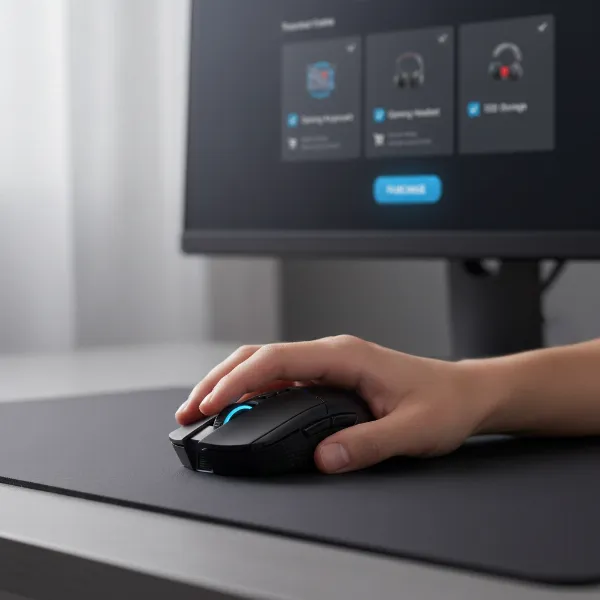
Stepping into the world of large mouse pads, often known as desk mats, is like upgrading from a small, restrictive runway to an expansive, open airfield for your mouse. For anyone spending significant time at their computer—whether for intense gaming sessions, demanding work tasks, or creative endeavors—a well-chosen large mouse pad can profoundly transform your experience. It’s more than just a surface for your mouse; it’s a foundation for your entire workspace, enhancing comfort, precision, and the overall aesthetic of your desk. This guide will navigate you through the diverse options available, helping you discover the ideal large mouse pad to elevate every corner of your home where computing happens.
The Transformative Power of Large Mouse Pads (and Desk Mats)
Gone are the days when a tiny square mouse pad was sufficient. Modern computing demands more, and large mouse pads rise to the occasion, offering a host of benefits that extend far beyond simple mouse tracking. They are about creating an optimized and unified environment.
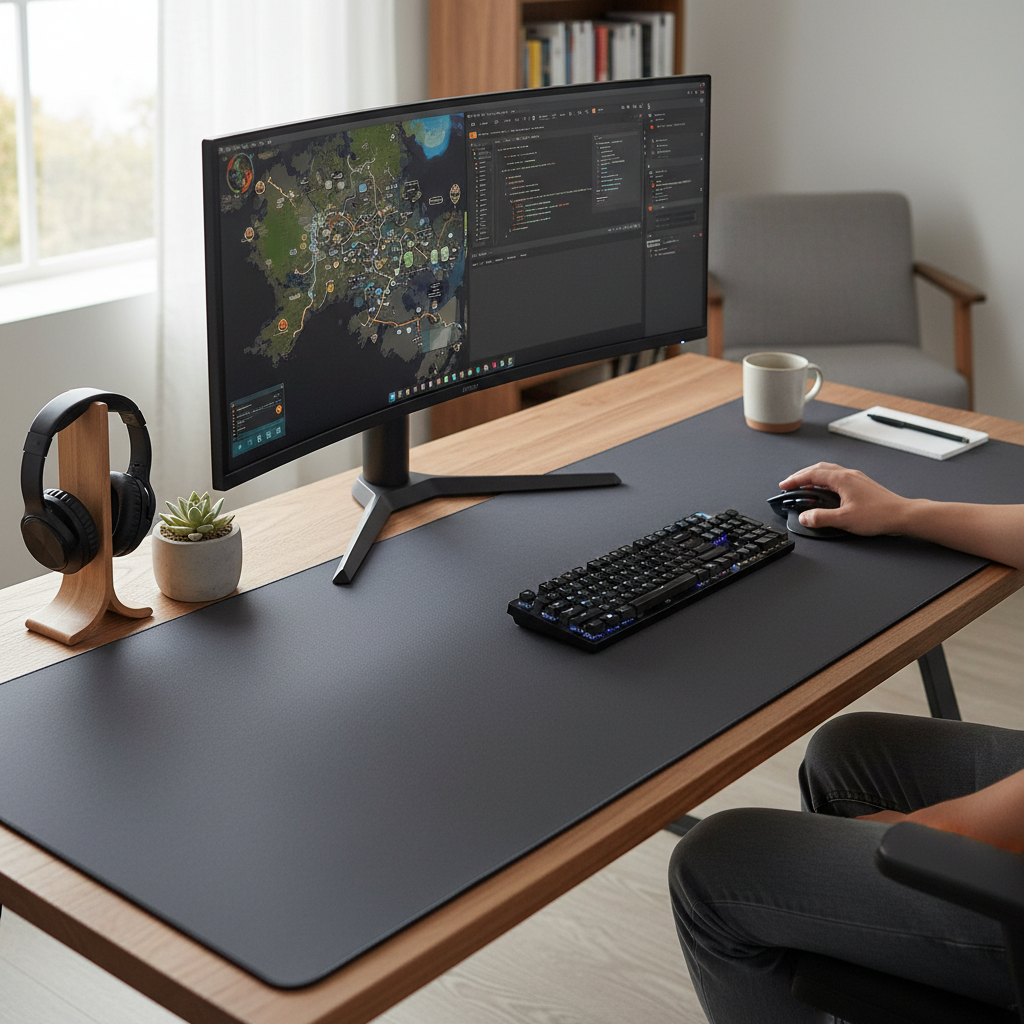
The terms “large mouse pad,” “extended mouse pad,” and “desk mat” are often used interchangeably, though there’s a subtle distinction. A traditional mouse pad is typically designed solely for your mouse. An extended mouse pad covers a larger area, accommodating both your mouse and keyboard. A desk mat generally takes up an even more significant portion of your desk, acting as a functional and aesthetic base for your entire setup, including monitors, speakers, and other accessories. Regardless of the precise term, the core advantages remain: unparalleled freedom of movement, superior comfort, desk protection, and a cohesive, professional aesthetic.
Large mouse pads provide ample room for sweeping mouse movements, crucial for low-DPI gamers who rely on arm movements for precision. For professionals, this expansive surface allows for effortless transitions between tasks, reducing the need to lift and reposition the mouse constantly. The added cushioning reduces pressure on wrists and forearms, preventing discomfort during long hours of use. Moreover, a quality desk mat shields your desk from scratches, spills, and daily wear, while its non-slip backing keeps your keyboard and other peripherals securely in place. Psychologically, having a defined, organized workspace can also significantly boost focus and productivity.
Finding Your Fit: Sizes for Every Space
The “large” in large mouse pad is not a single measurement. These pads come in a variety of dimensions, each suited for different desk sizes and user preferences. Understanding these sizes is key to selecting a mat that complements your space without overwhelming it.
Common sizes range from “extended” pads that fit a keyboard and mouse comfortably side-by-side, to “XXL” or “3XL” variants designed to cover an entire desktop. For instance, popular dimensions include:
- Extended (e.g., 900x400mm or 35×16 inches): These are excellent for most standard desks, providing ample room for a full-size keyboard and significant mouse movement. They are a go-to for many gamers and office users.
- XXL/3XL (e.g., 1200x600mm or 47×24 inches and larger): For those with larger desks or multi-monitor setups, these pads offer maximum coverage, turning your entire workspace into a cohesive, comfortable surface. They are also favored by streamers or content creators who want a consistent backdrop for their peripherals.
Choosing the right size depends heavily on your available desk real estate and how you intend to use it. Measure your desk carefully, considering where your keyboard, mouse, monitor stand, and other essentials will sit. A pad that fits perfectly enhances both functionality and visual appeal, ensuring a smooth, uninterrupted experience.
Surface Matters: Glide, Control, and Durability
The material and texture of your large mouse pad’s surface dictate your mouse’s glide, how much control you have, and the pad’s longevity. This choice is highly personal and often tied to your primary activities.
- Cloth Surfaces: These are the most common and versatile, typically made from finely woven fabric with a rubber base.
- Pros: Offer excellent control and precision, making them ideal for FPS gamers who require micro-adjustments and quick stops. They are soft, comfortable for wrists, and often machine washable.
- Cons: Can be slower due to friction, may absorb spills (though many are spill-resistant), and can wear down over time, especially in high-traffic areas.
- Hard Surfaces (Plastic, Glass, Aluminum): These pads feature a rigid, smooth top layer.
- Pros: Provide extremely fast glide with minimal friction, preferred by MOBA/RTS gamers who need rapid, sweeping movements. They are durable, easy to clean, and resistant to spills.
- Cons: Can be noisy with mouse movements, less comfortable for wrists without external support, and some can feel cold. Glass pads, while offering ultimate speed, can be fragile.
- Hybrid Surfaces: A newer category that blends the best aspects of cloth and hard pads.
- Pros: Offer a balanced feel—faster than cloth but more controlled than hard surfaces. They often have some water resistance and are relatively easy to maintain.
- Cons: Can be a compromise for those who strictly prefer extreme speed or extreme control.
- Specialty Materials (Leather, Felt):
- Leather: Often chosen for aesthetics and a premium feel. They are durable, easy to wipe clean, and can develop a pleasing patina over time. They offer a smooth, slightly slower glide than hard pads.
- Felt: Provides a softer, warmer texture, excellent for reducing noise and adding a cozy feel. Offers more control than leather but less speed.
Consider your primary use: if precision is paramount, opt for cloth or a control-focused hybrid. If speed is your game, a hard or speed-focused hybrid might be better. For a balance of comfort and aesthetics in a general home office, cloth or leather can be excellent choices.
“A quality desk mat isn’t just about functionality; it’s about defining your personal space, enhancing comfort, and improving the tactile experience of computing. It’s an understated yet powerful upgrade for any setup.” – Reviewdor Admin, Large Mouse Pad Specialist
Top Contenders: Leading Large Mouse Pad Brands
The market is rich with excellent large mouse pad options from reputable brands, each with its own strengths and loyal following.
- SteelSeries: Known for their durable and performance-focused cloth pads, particularly the QcK Series (including QcK Heavy and QcK Prism with RGB). They are a favorite among gamers for their consistent tracking and quality construction.
- Razer: A giant in gaming peripherals, Razer offers a range of large pads like the Gigantus V2 (cloth, various sizes, good control) and the Strider Chroma (hybrid, balancing speed and control, RGB options). Their products often feature striking designs and strong gaming performance.
- Corsair: With products like the MM300 Pro Extended, Corsair delivers large cloth pads designed for durability, spill resistance, and smooth tracking, catering to both gamers and productivity users.
- Logitech: While often associated with mice and keyboards, Logitech also offers quality mouse pads like the G440 Hard (for speed) and the Studio Series (focus on aesthetics and spill resistance for office use).
- Glorious: Popular in the enthusiast community for their high-quality cloth and hybrid mats (e.g., Glorious XXL, Glorious Element Series), offering smooth glide and excellent control with minimalist designs.
- Cooler Master: Their MP511 series is lauded for its CORDURA® fabric, providing exceptional durability and water resistance, striking a balance between speed and control.
- Pad-Zilla: Specializes in truly enormous mouse pads designed to cover entire desks, offering maximum freedom and desk protection with various artistic designs.
These brands consistently deliver reliable products, but each has a slightly different philosophy and target audience. Researching specific models within their lineups will help you pinpoint the best match for your needs.
Detailed Comparison: Picking Your Ideal Large Mouse Pad
Choosing the perfect large mouse pad can be challenging with so many excellent options available. Here’s a comparative look at some standout models to help you decide:
| Product Name | Size (approx.) | Surface Type | Material | Key Features | Pros | Cons |
|---|---|---|---|---|---|---|
| SteelSeries QcK Heavy | Extended (XL, XXL) | Cloth | Micro-woven fabric, Rubber base | Extra thick cushioning (4mm), Non-slip base, Durable stitching | Excellent control & comfort, Stable, Good for low-DPI gaming | Can be slower for high-speed movements, May take time to flatten out |
| Razer Strider Chroma | Extended (L, XL) | Hybrid | Polyester blend, Rubber base | Balanced speed/control, Water-resistant, RGB lighting | Versatile for various games/tasks, Durable, Easy to clean | Higher price point, RGB may not be for everyone |
| Corsair MM300 Pro Extended | Extended (XL) | Cloth | Woven textile, Anti-fray stitching | Spill-proof, Micro-weave surface, Non-slip rubber base | Highly durable, Resists spills, Smooth glide, Affordable | Less cushioning than “Heavy” pads, Can be slightly slow |
| Aothia Leather Desk Pad | Various (M-XXL) | Leather | PU Leather | Smooth surface, Water-resistant, Aesthetic, Desk protection | Premium look, Easy to clean, Comfortable, Durable | Slower glide than gaming-focused pads, Less control than cloth |
| Cooler Master MP511 XL | Extended (XL, XXL) | Cloth (CORDURA®) | CORDURA® fabric, Natural rubber | Exceptional durability, Water-resistant, Optimized for gaming sensors | Extremely long-lasting, Withstands abuse, Great tracking | Slightly rougher texture, Less aesthetic variety |
[image-1|large-mouse-pad-desk-setup|A wide desk mat integrating a keyboard, mouse, and monitor into a cohesive home office setup, bathed in soft, natural light.|
A large desk mat covering a modern desk, featuring a minimalist mechanical keyboard, an ergonomic mouse, and a sleek monitor. The scene is illuminated by soft, natural light coming from a window, creating a serene and productive home office environment. The mat is a dark gray or black, providing a clean, unified base for the white peripherals.]
Buying Guide: Essential Considerations for Your Home
Selecting the perfect large mouse pad involves more than just picking a cool design. It requires a thoughtful assessment of your needs, space, and preferences.
-
Identify Your Primary Use:
- Gaming: If you’re a competitive gamer, consider surfaces optimized for either speed (hard/hybrid) or control (cloth). Larger sizes are often preferred for low-DPI settings.
- Work/Productivity: Focus on comfort, desk protection, and aesthetics. Materials like leather or felt can add a professional touch, while thick cloth pads offer ergonomic benefits.
- Mixed Use: A hybrid surface or a balanced cloth pad (like a medium-thick QcK) might be the best compromise, offering versatility for both work and play.
-
Measure Your Space: This is crucial. Before buying, measure the length and depth of your desk. Account for your monitor stand, keyboard, mouse, and any other items you want to place on the mat. Ensure the pad will fit without hanging off or being cramped.
-
Surface Preference: Do you prefer fast, frictionless glides, or a more controlled, precise feel? This choice directly impacts your mouse movements and overall comfort. If possible, try different surface types at a store or borrow from a friend.
-
Aesthetics and Desk Integration: A large mouse pad becomes a significant part of your desk’s visual appeal. Choose a color and design that complements your room’s decor and your other peripherals. Minimalist designs, vibrant patterns, or specific brand aesthetics can all play a role.
-
Edge Stitching and Non-Slip Base:
- Stitched Edges: These prevent fraying and increase the pad’s lifespan, a worthwhile feature for any quality large mouse pad.
- Non-Slip Base: Typically made of rubber, this ensures the mat stays firmly in place, even during intense mouse movements or typing.
-
Maintenance: Consider how easy the material is to clean. Cloth pads may require more effort (and often machine washing), while hard or leather surfaces can simply be wiped down.
By carefully evaluating these factors, you can make an informed decision that will lead to a more comfortable, productive, and visually appealing workspace.
Care and Maintenance: Prolonging Your Pad’s Life
A large mouse pad is an investment in your comfort and productivity, and proper care will ensure it lasts for years.
For most cloth mouse pads, regular cleaning is straightforward. You can usually wipe down minor spills immediately with a damp cloth. For deeper cleaning, many cloth pads are machine washable on a cold, gentle cycle with a mild detergent. Air drying flat is essential to prevent warping or damage to the rubber base. Avoid harsh chemicals or bleach, as these can degrade the material and print.
Hard, hybrid, and leather surfaces are generally easier to maintain. For everyday dust and grime, a simple wipe with a microfiber cloth is often sufficient. For stickier spills, a damp cloth with a small amount of mild soap will usually do the trick. Always dry these surfaces completely to prevent water spots or residue. For glass or aluminum pads, be mindful of abrasive cleaners that could scratch the surface.
Regardless of the material, a few general tips apply: avoid eating or drinking directly over your pad to minimize spills, keep pets away if possible, and roll (don’t fold) your pad if you need to store or transport it to prevent creases.
Conclusion
The evolution of the simple mouse pad into the versatile, expansive large mouse pad or desk mat represents a significant upgrade for any home computing setup. From enhancing gaming precision with ample room for low-DPI movements to providing ergonomic comfort for long workdays and protecting your valuable desk surfaces, the benefits are undeniable. By carefully considering size, surface material, and specific features, you can find a large mouse pad that not only meets your functional needs but also elevates the aesthetic of your personal workspace.
Ready to transform your desk? Explore the wide range of large mouse pads available and experience the difference an optimized, unified surface can make for your productivity, comfort, and gaming performance. Which large mouse pad will become the new cornerstone of your home setup?
Frequently Asked Questions
What is the ideal size for a large mouse pad?
|
Our Picks for the Best Large mouse pad in 2026
As an Amazon Associate I earn from qualifying purchases.
|
||
| Num | Product | Action |
|---|---|---|
| 1 | Large Extended Gaming Mouse Pad with Stitched Edges, (31.5X15.7In) Durable Non-Slip Natural Rubber Base, Waterproof Computer Keyboard Pad Mat for Esports Pros/Gamer/Desktop/Office/Home-Black |

|
| 2 | SteelSeries QcK Gaming Mouse Pad - XXL Cloth - Peak Tracking and Stability - Esports Mousepad - Never-Slip - Full Desk Coverage |
|
| 3 | Mouse Pad, Large Gaming Mouse Pad with Double Stitched Edges, 14.9 x 11.7 inches Premium-Textured & Waterproof Mousepad, Nonslip Natural Rubber Base Mouse pad for Laptop,Computer, Office, Black |
|
| 4 | Razer Gigantus V2 Cloth Gaming Mouse Pad (XXL): Thick, High-Density Foam - Non-Slip Base - Classic Black |
|
| 5 | Large Gaming Mouse Pad, 31.5x15.7 inch Large Extended Computer Keyboard Mouse Mat, Water Resist Non-Slip Mousepad Rubber Base Long XXL Desk Mouse Pad for Work & Gaming, Office & Home, Black |
|
| 6 | TEDNETGO Large Gaming Mouse Pad, Waterproof Extra Large Big Mouse Pad with Stitched Edge, XXL Non-Slip Black Computer Long Mousepad Desk Mat for Gamer, Office & Home, Black |
|
| 7 | Aothia Non-Slip Waterproof PU Leather Desk Pad Protector for Mouse, Writing Desk, Office, Home, Laptop Blotter, 23.6" x 13.7", Black |
|
| 8 | KTRIO Large Gaming Mouse Pad Desk Mat, Superior Micro-Weave Cloth for Precise Mouse Control, Non-Slip Rubber Base, Stitched Edges, Water-Resistant, for Gamer, Office & Home, 31.5" x 11.8" inches |
|
| 9 | Amazon Basics Large Extended Computer Rectangular Mouse Pad, 16.7 x 35.7 inch, Black |
|
| 10 | SteelSeries QcK Large Gaming Mousepad — Black — Non-Slip Silicone Rubber Base — Peak Tracking and Stability — Optimized for Gaming Sensors — 490 mm x 420 mm — FPS, MOBAs, RTS, MMO |
|
The ideal size depends on your desk dimensions and usage. For most users, an extended pad (around 35×16 inches or 900x400mm) is a great starting point, accommodating both a keyboard and mouse. For full desk coverage, XXL or 3XL pads (e.g., 47×24 inches or 1200x600mm) are preferred.
Are large mouse pads better for gaming?
Yes, large mouse pads are often considered superior for gaming, especially for FPS titles. They provide extensive room for wide, sweeping mouse movements essential for low-DPI precision aiming, preventing you from running off the pad mid-game.
Can a large mouse pad protect my desk?
Absolutely. A primary benefit of large mouse pads or desk mats is desk protection. They shield your desk surface from scratches, scuffs, spills, and general wear and tear from peripherals, helping to preserve its condition.
What’s the difference between a large mouse pad and a desk mat?
While often used interchangeably, a large mouse pad typically refers to an extended pad for a mouse and keyboard, whereas a desk mat is generally even larger, covering a significant portion or even the entirety of your desk to create a cohesive workspace for all your peripherals.
How do I clean a large mouse pad?
Most cloth large mouse pads can be spot-cleaned with a damp cloth and mild soap or, for a deeper clean, machine-washed on a cold, gentle cycle and then air-dried flat. Hard, hybrid, and leather pads are typically cleaned by wiping them down with a damp cloth.
Is a thick large mouse pad better?
Thicker large mouse pads (4mm+) offer more cushioning and wrist comfort, which can reduce fatigue during extended use. However, very thick pads might slightly reduce mouse speed compared to thinner ones (1-2mm), which are optimized for minimal resistance and maximum glide.
Do large mouse pads improve ergonomics?
Yes, they do. Large mouse pads provide a consistent, cushioned surface that encourages proper arm and wrist positioning, reducing pressure points and minimizing the risk of repetitive strain injuries like carpal tunnel syndrome. They allow for more natural, relaxed movements.