Have you ever found yourself frustrated by running your mouse off the edge of a tiny mouse pad in the middle of an intense game or a critical design project? Or perhaps your desk feels cluttered and uninspired? Many users, from competitive gamers to creative professionals, are discovering that upgrading to a large mouse pad can transform their entire desk experience. These expansive surfaces, often covering the entire desk area, promise not just more room for your mouse but also enhanced comfort, improved precision, and a more cohesive aesthetic. But with so many options available, is a large mouse pad truly worth the investment, and how do you choose the right one for your setup?
Choosing the Perfect Large Mouse Pad: A Detailed Guide
Large Mouse Pad Size: Why Bigger is Often Better?
A large mouse pad, often referred to as a desk mat or extended mouse pad, provides significantly more surface area than traditional pads, allowing for expansive and fluid mouse movements without the constant need to lift and reposition your mouse. This is particularly beneficial for gamers who prefer lower sensitivity (DPI) settings, enabling broad swipes and more precise aiming. Beyond gaming, the generous space improves comfort by giving your arm and wrist ample room to move, reducing strain during extended work or creative sessions.
Common large mouse pad sizes often range from approximately 80cm to 100cm wide for those that cover both the keyboard and mouse. Specific dimensions can include “large” pads around 450x400mm (17.7×15.75 inches) or “extra-large/extended” options measuring 500-950mm x 290mm and over, designed to accommodate both peripherals. These larger sizes also serve to unify your workspace, neatly housing your keyboard, mouse, and other accessories on a single, consistent surface, which reduces clutter and improves ergonomics. Additionally, a large mouse pad acts as a protective barrier for your desk, guarding against scratches, spills, and general wear and tear.
Who should use a large mouse pad? Anyone seeking enhanced precision and comfort will find value. It’s ideal for:
- Gamers: Especially those playing FPS games with low DPI settings, needing wide, unhindered sweeps.
- Professionals and Creatives: Providing a comfortable, consistent surface for long hours of design, editing, or general computer work.
- Anyone: Who desires a cleaner, more organized, and aesthetically pleasing desk setup while protecting their furniture.
|
Our Picks for the Best Large mouse pad in 2026
As an Amazon Associate I earn from qualifying purchases.
|
||
| Num | Product | Action |
|---|---|---|
| 1 | Large Extended Gaming Mouse Pad with Stitched Edges, (31.5X15.7In) Durable Non-Slip Natural Rubber Base, Waterproof Computer Keyboard Pad Mat for Esports Pros/Gamer/Desktop/Office/Home-Black |

|
| 2 | KTRIO Large Gaming Mouse Pad Desk Mat, Superior Micro-Weave Cloth for Precise Mouse Control, Non-Slip Rubber Base, Stitched Edges, Water-Resistant, for Gamer, Office & Home, 31.5" x 11.8" inches |
|
| 3 | Mouse Pad, Large Gaming Mouse Pad with Double Stitched Edges, 14.9 x 11.7 inches Premium-Textured & Waterproof Mousepad, Nonslip Natural Rubber Base Mouse pad for Laptop,Computer, Office, Black |
|
| 4 | SteelSeries QcK Gaming Mouse Pad - XXL Cloth - Peak Tracking and Stability - Esports Mousepad - Never-Slip - Full Desk Coverage |
|
| 5 | Aothia Non-Slip Waterproof PU Leather Desk Pad Protector for Mouse, Writing Desk, Office, Home, Laptop Blotter, 23.6" x 13.7", Black |
|
| 6 | TEDNETGO Large Gaming Mouse Pad, Waterproof Extra Large Big Mouse Pad with Stitched Edge, XXL Non-Slip Black Computer Long Mousepad Desk Mat for Gamer, Office & Home, Black |
|
| 7 | Razer Gigantus V2 Cloth Gaming Mouse Pad (XXL): Thick, High-Density Foam - Non-Slip Base - Classic Black |
|
| 8 | Large Gaming Mouse Pad, 31.5x15.7 inch Large Extended Computer Keyboard Mouse Mat, Water Resist Non-Slip Mousepad Rubber Base Long XXL Desk Mouse Pad for Work & Gaming, Office & Home, Black |
|
| 9 | SteelSeries QcK Large Gaming Mousepad — Black — Non-Slip Silicone Rubber Base — Peak Tracking and Stability — Optimized for Gaming Sensors — 490 mm x 420 mm — FPS, MOBAs, RTS, MMO |
|
| 10 | Amazon Basics Large Extended Computer Rectangular Mouse Pad, 16.7 x 35.7 inch, Black |
|
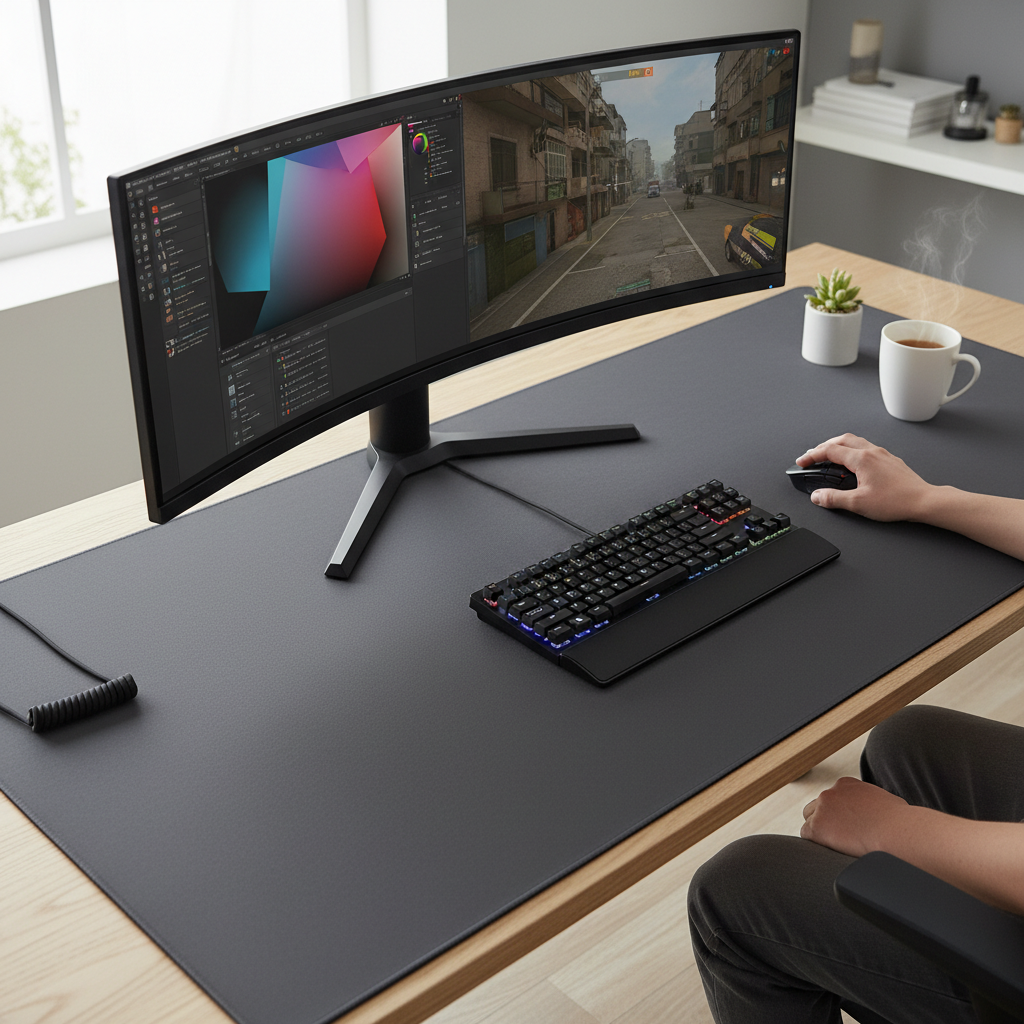
[image-1|large-mouse-pad-desk-setup|A large mouse pad covering a desk, with a keyboard and mouse placed on it, indicating ample space for comfortable movement.|
A top-down view of a modern desk setup featuring a large black fabric mouse pad that spans the entire desk surface, accommodating a mechanical keyboard and a gaming mouse. The lighting is soft and neutral, highlighting the smooth texture of the mouse pad and the organized peripherals.]
Large Mouse Pad Surface Types: Pros and Cons
The surface of a large mouse pad is a critical factor influencing mouse glide, control, and overall user experience. There are generally three main categories: fabric, hard, and hybrid surfaces.
Fabric Surfaces:
These are the most popular type, typically made from cloth (polyester, Lycra, or microfiber) over a rubber base. Fabric pads are further divided into “control” and “speed” types:
- Control Pads: Feature a more textured or dense weave, providing higher friction. This allows for precise, pixel-perfect movements, making them ideal for tactical games like CS2 or for graphic design where fine adjustments are paramount. They often offer better stopping power.
- Speed Pads: Have a smoother, lower-friction surface, allowing the mouse to glide quickly and effortlessly. These are preferred by gamers who need rapid movements, such as in MOBA or battle royale games.
- Pros: Comfortable, good balance between speed and control (depending on type), excellent tracking for both optical and laser mice, often durable with stitched edges, generally affordable, and hand-washable.
- Cons: Can accumulate dust, dirt, and sweat, which may affect performance and require regular cleaning. The surface feel can also be influenced by humidity.
Hard Surfaces:
These pads are typically made from materials like plastic, aluminum, or glass.
- Pros: Offer maximum speed and minimal friction, excellent durability, and are very easy to clean as they don’t absorb liquids. They are less affected by environmental factors like humidity.
- Cons: Can be noisy due to mouse feet friction, generally offer less wrist comfort, and some materials (like glass) can be expensive and prone to damage if dropped. They may also cause faster wear on mouse feet.
Hybrid Surfaces:
As the name suggests, these pads aim to combine the best aspects of both fabric and hard surfaces. They offer a balance of speed and control, with a surface that is harder and slicker than cloth but still provides enough texture for controlled movements.
- Pros: Versatility for users who need both speed and precision, often water-resistant and easier to clean than pure cloth pads.
- Cons: Can be more expensive than basic cloth pads, and the “best of both worlds” can sometimes mean a compromise that doesn’t fully excel in either speed or control.
Large Mouse Pad Materials: Durability and Comfort
Beyond the surface type, the underlying materials significantly impact a large mouse pad’s durability, stability, and comfort.
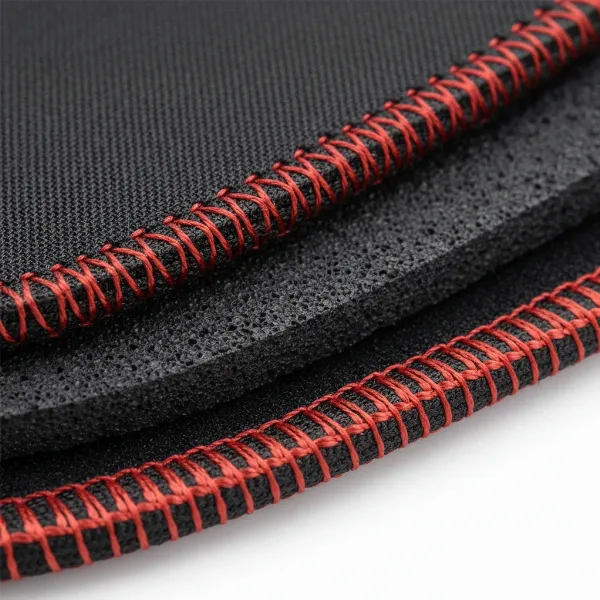
The base layer is almost universally made from rubber, which is crucial for preventing the pad from slipping during intense use. Natural rubber generally offers superior grip compared to synthetic rubber and is more eco-friendly. This non-slip foundation ensures your mouse pad stays firmly rooted to your desk, providing consistent performance.
For the surface layer, fabric materials like polyester, Lycra, and microfiber are predominant. Polyester is known for being smooth, durable, and cost-effective, while Lycra and microfiber offer a softer touch and enhanced comfort. The weave of these fabrics dictates whether the pad leans towards speed or control, with dense or textured fabrics providing more control, and smoother weaves facilitating faster glides.
Other materials exist, such as leather, wood, and even ceramic, though they are less common for large mouse pads. Leather pads offer a premium aesthetic but are not typically designed for high-performance gaming. Wood and cork pads offer unique textures and aesthetics but may not provide the consistent glide required for precision tasks.
Thickness also plays a vital role in comfort and performance.
- 1-2mm: Thin pads offer a sleek, minimalist design and prioritize speed and precision due to less resistance.
- 3mm: A common and balanced thickness that provides a good blend of comfort and control.
- 4mm and above: These offer the most cushioning and comfort for the wrist, making long sessions more bearable. However, the increased thickness can also introduce more resistance, making them generally slower pads.
Comparing Popular Large Mouse Pad Brands
The market for large mouse pads is competitive, with several brands offering a wide range of options. Here’s a look at some of the leading names:
- SteelSeries: Renowned for their QcK series, which includes the QcK Gaming, QcK Heavy, and QcK Performance. These are highly regarded for their quality micro-woven cloth surfaces, offering a balance of control and speed. The QcK Heavy, for instance, is thicker and more durable, while the QcK Performance offers variations like “Smooth,” “Balance,” and “Speed” surfaces. SteelSeries pads are often seen as versatile, reliable, and available in numerous sizes up to 5XL.
- Razer: A dominant player in gaming peripherals, Razer offers pads like the Goliathus Chroma, Gigantus V2, and Strider Hybrid. The Goliathus Chroma is known for its RGB lighting and optimized micro-texture cloth, while the Gigantus V2 provides a large, soft surface focused on control. The Strider series introduces a hybrid surface, blending speed with control and often featuring water resistance. Razer also offers hard pads like the Firefly V2 Pro and the glass Atlas for ultimate speed.
- Corsair: Their MM series includes popular options like the MM300 Pro Extended and MM200 Pro. Corsair pads typically feature premium spill-proof cloth surfaces and stitched edges for durability, offering a good balance for both gaming and productivity.
- Logitech: Known for its gaming lineup, Logitech offers large pads such as the G440 (a hard pad for speed) and the G840 (a soft desk mat balancing speed and control). Their products often prioritize performance and durability.
- Artisan: Considered a high-end, enthusiast brand, Artisan mouse pads (e.g., Hayate Otsu, Raiden, Zero) are often praised for their exceptional quality, unique surface weaves, and precise performance. They are typically more expensive but offer unparalleled feel and control for serious gamers.
- Cooler Master (MP511): This model is often cited for its overall quality and extended size options, providing a good balance for various uses.
Each brand brings its own strengths, from SteelSeries’ consistent cloth performance to Razer’s diverse surface types and RGB aesthetics, and Artisan’s niche, high-performance offerings.
Detailed Comparison Table of Top Large Mouse Pad Models
Selecting the best large mouse pad depends on individual preferences for size, surface feel, and budget. Here’s a comparison of some highly-regarded models, showcasing their variety:
| Product Name | Size (Approx.) | Surface Type | Material (Top/Base) | Price Range (USD) | Key Pros | Key Cons |
|---|---|---|---|---|---|---|
| SteelSeries QcK Heavy | 450x400x6mm (Large) | Control/Cloth | Micro-woven cloth/Rubber | $20-30 | Excellent control, durable, comfortable thick cushioning, non-slip base | Can collect dust, slower glide for some |
| Razer Gigantus V2 | 940x410x3mm (3XL) | Control/Cloth | Micro-weave cloth/Rubber | $30-40 | High precision control, smooth glide, available in massive sizes | Shows dirt easily (black version) |
| Corsair MM300 Pro Extended | 930x300x3mm (Extended) | Speed/Cloth | Spill-proof cloth/Rubber | $30-40 | Spill-proof, anti-fray stitched edges, good speed | Less cushioning than thicker pads |
| Razer Strider Chroma | 900x370x3mm (Extended) | Hybrid | Polyester/Rubber | $50-70 | Balance of speed and control, water-resistant, RGB lighting | Higher price, RGB might not be for everyone |
| Logitech G840 | 900x400x3mm (XL) | Balance/Cloth | Fabric/Rubber | $40-50 | Smooth glide with good stopping power, comfortable, large surface area | Tends to show dust on black surface |
Note: Prices are approximate and can vary by retailer and promotions.
Large Mouse Pad Buying Guide: Important Considerations
Navigating the vast array of large mouse pads can be daunting, but by focusing on a few key factors, you can find the ideal companion for your setup.
-
Identify Your Needs:
- Gaming: For competitive FPS gamers needing precise control, a “control” fabric pad (e.g., SteelSeries QcK Heavy) or a balanced hybrid might be best. For MOBA or fast-paced games requiring quick movements, a “speed” fabric pad or a hard surface (e.g., Razer Atlas, Logitech G440) could be more suitable.
- Work/Productivity: Comfort and consistent tracking are paramount. A balanced fabric pad with good cushioning (3mm or 4mm+) will likely be comfortable for long hours.
- Design/Art: Precision is key, so a control-oriented fabric or hybrid surface is often preferred.
-
Match Size to Desk Space: Measure your desk carefully. Ensure the chosen large mouse pad fits without hanging off the edges, which can cause discomfort and unevenness. Consider if you need an “extended” mat that accommodates both your keyboard and mouse, or just a large pad for mouse movement.
-
Consider Surface Type (Speed vs. Control): This is highly subjective. If you prefer low DPI and sweeping arm movements, a control surface is beneficial. If you use high DPI and wrist movements, or need lightning-fast reflexes, a speed surface will serve you better. Hybrid options offer a middle ground.
-
Evaluate Material and Build Quality:
- Stitched Edges: Look for stitched edges to prevent fraying and increase durability, a common feature in quality fabric pads.
- Base Material: Ensure a non-slip rubber base for stability.
- Thickness: Choose based on your comfort preference. Thicker pads offer more cushioning, while thinner ones are faster.
- Durability: Hard pads tend to be more durable in terms of wear, while good quality fabric pads with stitched edges can also last a long time.
-
Read User Reviews: Customer experiences can provide valuable insights into a pad’s real-world performance, durability, and comfort. Look for consistent feedback on tracking, glide, and ease of cleaning.
-
Budget and Aesthetics: Large mouse pads range widely in price. Determine your budget. Also, consider the pad’s aesthetics – do you want a minimalist design, a vibrant graphic, or RGB lighting to match your setup?
By carefully weighing these factors, you can confidently select a large mouse pad that perfectly aligns with your specific needs and enhances your overall desk experience.
How to Clean and Maintain Your Large Mouse Pad
Regular cleaning and proper maintenance are crucial for preserving the performance, hygiene, and longevity of your large mouse pad. Dust, sweat, oils, and general debris can accumulate, affecting mouse tracking and glide consistency over time.
Regular Maintenance (Weekly/Bi-weekly):
- Shake it Out: Take your mouse pad outside and give it a good shake to dislodge loose dust and superficial debris.
- Wipe Down: Use a slightly damp microfiber cloth to gently wipe the entire surface. This helps remove light grime and maintain a smooth feel.
- Antibacterial Spray: For hygienic purposes, a compatible antibacterial spray can be used regularly, ensuring the surface remains free of bacteria.
- Clean Both Sides: Don’t forget to clean the underside to prevent dust buildup and maintain grip.
Deep Cleaning for Fabric/Cloth Mouse Pads (Monthly/Quarterly):
For thorough cleaning, especially for fabric pads, a hand-washing method is highly recommended to avoid potential damage from washing machines (though some cloth pads can be machine washed, hand-washing is gentler).
- Prepare: If your large pad is too big for a sink, use a bathtub. Lightly dampen the entire pad with cold water.
- Apply Cleaner: Use a small amount of mild hand soap, shampoo, or even a diluted dish soap (like Dawn). Avoid harsh chemicals.
- Scrub Gently: Using a soft sponge, a soft-bristled brush, or a microfiber cloth, gently scrub the surface in circular motions, paying extra attention to dirty spots. Be thorough, cleaning both the front and back.
- Rinse Thoroughly: Rinse the mouse pad very well with cold water until all soap suds are gone. It’s crucial to remove all detergent residue.
- Dry Properly: Gently pat the mouse pad dry with a clean towel. Then, lay it flat on a dry towel in a well-ventilated area to air dry completely. Avoid direct sunlight or using a dryer, as heat can damage the rubber base and surface materials. It may take several hours or even overnight to dry fully.
Cleaning Hard and RGB Mouse Pads:
These require a different approach due to their materials and integrated electronics.
- Dust Off: Use a dry microfiber cloth to remove loose dust and debris.
- Wipe with Damp Cloth: Lightly moisten a microfiber cloth with water (a tiny drop of mild soap can be added if needed) and wipe the surface in gentle circles.
- Dry Immediately: Use a clean, dry microfiber cloth to remove any moisture. Crucially, never soak or submerge hard or RGB mouse pads, as water can damage the anti-slip base, printed surface, or built-in electronics (like USB ports or RGB lighting).
Regularly cleaning your large mouse pad ensures consistent mouse performance, enhances its lifespan, and contributes to a healthier, more pleasant workspace.
Conclusion
Ultimately, the question of whether a large mouse pad is worth it leans heavily towards a resounding yes for most users. From significantly enhancing gaming precision and control to providing unparalleled ergonomic comfort for work and transforming cluttered desks into unified, aesthetically pleasing workspaces, the benefits are clear. The vast surface area eliminates the frustration of running out of space, while the consistent tracking and cushioning can genuinely elevate your daily computer interaction. With a diverse range of sizes, surface types, and materials available, there’s a large mouse pad designed to meet every specific need and preference. By considering your usage, desk space, and desired feel, you can find a quality large mouse pad that not only protects your desk but also becomes an indispensable part of your setup, proving its worth with every smooth glide and comfortable moment. Are you ready to upgrade your desk and experience the difference a large mouse pad can make?
Frequently Asked Questions
What is the optimal size for a large mouse pad?
The optimal size depends on your desk space and usage. For general mouse movement, a “large” pad around 450x400mm is sufficient. If you want to cover your keyboard area as well, an “extended” or “desk mat” size (often 900x400mm or larger) provides a unified surface for both peripherals, enhancing comfort and aesthetics.
Are hard large mouse pads better for gaming?
Hard large mouse pads excel in speed and minimal friction, which can be advantageous for competitive gamers who require extremely fast mouse movements, particularly in games like MOBAs. However, cloth pads offering precision and control are often preferred for tactical shooters and provide more comfort. Your personal play style and preference for speed versus control will determine which is “better.”
How often should I clean my large mouse pad?
For optimal performance and hygiene, a light cleaning (wiping down) is recommended every one to two weeks, especially for fabric pads. A deep hand wash for fabric pads should be done every 1-3 months, depending on usage. Hard and RGB pads require dusting and wiping with a damp cloth regularly, but should never be submerged in water.
Can I put my large mouse pad in the washing machine?
Most cloth large mouse pads can technically be machine washed on a cold, gentle cycle, but hand-washing with mild soap and cold water is generally recommended to prevent damage, especially to stitched edges or printed designs. Hard and RGB mouse pads should never be put in a washing machine due to potential damage to electronics and non-slip bases.
What’s the difference between a speed and control large mouse pad?
A “speed” large mouse pad has a smooth, low-friction surface for rapid, effortless mouse movements, ideal for fast-paced games. A “control” large mouse pad features a more textured surface with higher friction, allowing for precise, deliberate, and fine mouse movements, favored by those needing accuracy in games or design work. Hybrid pads aim to offer a balance of both characteristics.