Stepping into the world of mouse pads, you might encounter terms like “large mouse pad” and “extended pad,” often used interchangeably, yet hinting at subtle differences that can significantly impact your desk setup and performance. Choosing the right one is not merely about size; it’s about optimizing your workspace for comfort, precision, and aesthetics. Whether you’re a competitive gamer demanding pixel-perfect accuracy, a graphic designer needing expansive room for creative flow, or a professional seeking an ergonomic and organized desk, understanding the nuances between these substantial surface options is key. This guide will meticulously dissect what makes each unique, explore their benefits, and help you pinpoint the ideal large format mouse pad to elevate your work and play experience.
The Perfect Large Mouse Pad: A Detailed Guide
The journey to finding your ideal large mouse pad begins with understanding its fundamental role: providing a consistent, comfortable, and expansive surface for your mouse, and often, your keyboard. Unlike standard mouse pads that only accommodate mouse movement, large or extended pads transform a significant portion of your desk into a unified, high-performance area. This upgrade offers tangible benefits, from enhanced tracking precision to improved ergonomics and a cleaner, more cohesive aesthetic for your battlestation or home office. It’s an essential accessory for anyone looking to maximize their desktop utility and minimize distractions.
Large Mouse Pad Sizes: Why Bigger Is Better?
When it comes to mouse pads, size genuinely matters, and for many, “bigger is better” holds true. Large and extended mouse pads offer unparalleled freedom of movement, eliminating the frustrating experience of your mouse rolling off the edge during critical moments. This expansive real estate is particularly beneficial for low-DPI gamers who require broad sweeps for aiming, or creative professionals who need uninterrupted motion for intricate design work. The sheer scale allows for a consistent tracking surface across your entire ergonomic range, reducing strain and promoting a more natural posture.
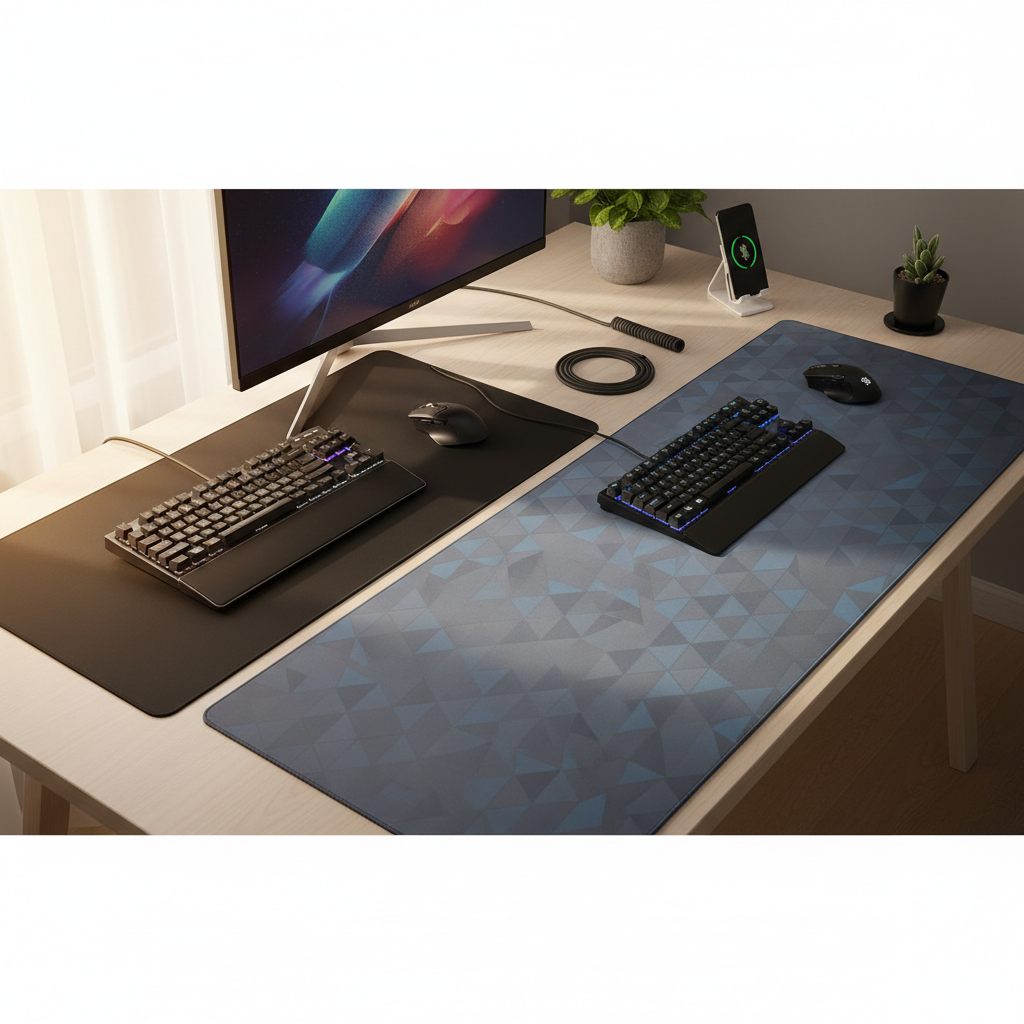
Common large mouse pad dimensions typically start around 700x300mm (27.5×11.8 inches), while extended desk mats can easily reach 900x400mm (35.4×15.7 inches), 1000x500mm (39.4×19.7 inches), or even 1200x600mm (47.2×23.6 inches). The core distinction between “large” and “extended” often boils down to how much of your desk they cover. A large mouse pad might offer generous space for your mouse and a portion of your keyboard, while an extended pad (often called a desk mat) is designed to span the majority of your desk’s width, accommodating your keyboard, mouse, monitor stand, and other peripherals, creating a unified surface.
Who Should Use a Large or Extended Mouse Pad?
- Gamers: Especially those playing FPS games with low sensitivity settings, requiring wide, unhindered mouse movements.
- Designers & Editors: Professionals who need precision and broad strokes for drawing, editing, or complex software interfaces.
- Office Workers: To achieve a more organized, comfortable, and uniform desk aesthetic, cushioning wrists and forearms.
- Anyone with Limited Desk Space: Paradoxically, a large mat can make a smaller desk feel more functional by consolidating items and providing a designated, high-performance zone.
|
Our Picks for the Best Large mouse pad in 2026
As an Amazon Associate I earn from qualifying purchases.
|
||
| Num | Product | Action |
|---|---|---|
| 1 | SteelSeries QcK Large Gaming Mousepad — Black — Non-Slip Silicone Rubber Base — Peak Tracking and Stability — Optimized for Gaming Sensors — 490 mm x 420 mm — FPS, MOBAs, RTS, MMO |

|
| 2 | TEDNETGO Large Gaming Mouse Pad, Waterproof Extra Large Big Mouse Pad with Stitched Edge, XXL Non-Slip Black Computer Long Mousepad Desk Mat for Gamer, Office & Home, Black |
|
| 3 | Razer Gigantus V2 Cloth Gaming Mouse Pad (XXL): Thick, High-Density Foam - Non-Slip Base - Classic Black |
|
| 4 | Amazon Basics Large Extended Computer Rectangular Mouse Pad, 16.7 x 35.7 inch, Black |
|
| 5 | Large Gaming Mouse Pad, 31.5x15.7 inch Large Extended Computer Keyboard Mouse Mat, Water Resist Non-Slip Mousepad Rubber Base Long XXL Desk Mouse Pad for Work & Gaming, Office & Home, Black |
|
| 6 | KTRIO Large Gaming Mouse Pad Desk Mat, Superior Micro-Weave Cloth for Precise Mouse Control, Non-Slip Rubber Base, Stitched Edges, Water-Resistant, for Gamer, Office & Home, 31.5" x 11.8" inches |
|
| 7 | SteelSeries QcK Gaming Mouse Pad - XXL Cloth - Peak Tracking and Stability - Esports Mousepad - Never-Slip - Full Desk Coverage |
|
| 8 | Aothia Non-Slip Waterproof PU Leather Desk Pad Protector for Mouse, Writing Desk, Office, Home, Laptop Blotter, 23.6" x 13.7", Black |
|
| 9 | Mouse Pad, Large Gaming Mouse Pad with Double Stitched Edges, 14.9 x 11.7 inches Premium-Textured & Waterproof Mousepad, Nonslip Natural Rubber Base Mouse pad for Laptop,Computer, Office, Black |
|
| 10 | Large Extended Gaming Mouse Pad with Stitched Edges, (31.5X15.7In) Durable Non-Slip Natural Rubber Base, Waterproof Computer Keyboard Pad Mat for Esports Pros/Gamer/Desktop/Office/Home-Black |
|
Types of Large Mouse Pad Surfaces: Pros and Cons
The surface of your large mouse pad is the primary interface between your mouse sensor and the pad, directly influencing control, speed, and tracking accuracy. Different materials and weaves create distinct friction profiles, catering to various user preferences and activities.
- Cloth Surfaces: These are by far the most popular due to their versatility. They offer a balanced feel, providing good control without excessive drag.
- Pros: High precision, excellent control for intricate movements, comfortable feel, quieter operation, generally more affordable. Often preferred by FPS gamers who need precise micro-adjustments.
- Cons: Can absorb sweat and oils, requiring more frequent cleaning. May wear down over time, affecting glide consistency.
- Hard Plastic Surfaces: Crafted from durable materials like polycarbonate or PVC, hard pads offer a rigid, low-friction glide.
- Pros: Extremely fast and smooth glide, excellent durability, very easy to clean (just wipe down). Ideal for MOBA or RTS gamers who prioritize quick cursor movements.
- Cons: Can be noisy, less comfortable for wrists, some users find them too fast, leading to overshooting targets. Can scratch easily if not maintained.
- Hybrid Surfaces: These innovative pads aim to blend the best of both worlds, often combining fabric weaves with synthetic coatings or unique material blends.
- Pros: Offers a unique balance of speed and control, often with enhanced durability and water resistance. Can provide a consistent glide in varied conditions.
- Cons: Can be more expensive, feel might not suit everyone (some find them too rough or too slick).
Large Mouse Pad Materials: Durability and Comfort
Beyond the surface, the core material and construction of a large mouse pad dictate its stability, longevity, and overall user experience. The base material is crucial for preventing unwanted slippage, while the stitching affects durability.
- Natural Rubber (Nitrile Rubber): This is the industry standard for the base of almost all quality mouse pads.
- Pros: Exceptional grip on most desk surfaces, high elasticity, provides cushioning for hands and wrists. Non-toxic and environmentally friendlier than some synthetics.
- Cons: Can have a distinct rubber odor when new (which usually dissipates).
- Synthetic Rubber (e.g., SBR): A common alternative, often used in more budget-friendly options.
- Pros: Cheaper to produce, still offers decent grip, easy to manufacture in various forms.
- Cons: May not have the same level of grip or elasticity as natural rubber, potentially less durable over time.
- Other Materials:
- Leather/PU Leather: Offers a premium, professional look. Durable and easy to clean, but often lacks the precise tracking surface for gaming.
- Metal (Aluminum): Extremely durable and fast, but very cold, noisy, and not ideal for most users due to comfort and cost.
- Glass: Offers an ultra-fast, smooth, and consistent surface. Highly durable and easy to clean, but expensive and can be fragile. Not common for large/extended sizes due to weight and cost.
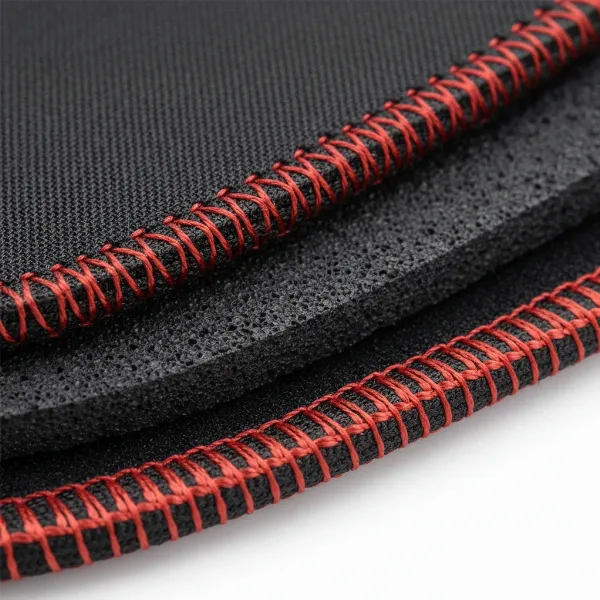
Many high-quality large mouse pads also feature stitched edges. This reinforced edge stitching prevents fraying, significantly extending the lifespan of the pad and maintaining its aesthetic integrity even with heavy use. This is a crucial feature to look for in any large or extended pad.
“For an optimal setup, an extended mouse pad acts as a desk canvas, unifying your peripherals and providing a boundless, consistent surface for both work and play. It’s less about a ‘pad’ and more about an integrated ‘surface’.” – Alex Chen, Esports Gear Analyst
Comparing Popular Large Mouse Pad Brands
The market for large and extended mouse pads is rich with competitive brands, each bringing its unique philosophy and design to the table. Understanding their strengths can guide your decision.
- SteelSeries: Known for their QcK line, offering incredibly consistent cloth surfaces. Their pads are reliable, durable, and come in a vast array of sizes, including some of the largest extended options. They focus on pure performance and sensor compatibility.
- Razer: Synonymous with gaming, Razer offers pads like the Goliathus and Strider series. They often feature vibrant designs, optimized surfaces for their own mice, and a balance of speed and control. Their Strider is a notable hybrid pad.
- Corsair: With pads like the MM300 and MM700 RGB, Corsair often integrates RGB lighting, appealing to users who prioritize aesthetics alongside performance. They provide solid cloth surfaces with good durability.
- Logitech G: While perhaps less focused solely on mouse pads, Logitech G offers excellent quality, often designed to complement their popular gaming mice. Their G840 XL is a prime example of a high-quality extended pad.
- HyperX: Known for their FURY S Pro series, HyperX delivers consistent, comfortable cloth pads in various large and extended sizes, often at a competitive price point, appealing to a broad range of gamers.
- Glorious PC Gaming Race: A community favorite, Glorious is celebrated for its minimalistic design, high-quality stitched edges, and vast range of extended sizes, offering excellent value and performance.
Each brand has its loyal following, and while specifications are important, personal preference for surface texture and brand ecosystem often plays a significant role.
Detailed Comparison Table of Large Mouse Pad Models
| Product Name | Size (mm) | Surface Type | Material Base | Price Range | Pros | Cons |
|---|---|---|---|---|---|---|
| SteelSeries QcK Edge XL | 900x400x2 | Cloth (Micro-woven) | Natural Rubber | $30-40 | Excellent control, durable stitched edges, highly compatible with sensors, simple aesthetic. | Standard cloth surface (can absorb liquids). |
| Razer Strider Large | 900x370x3 | Hybrid (Rough) | Anti-slip Rubber | $35-45 | Fast glide, water-resistant, durable, good control. | Slightly rougher texture might not suit all. |
| Corsair MM350 Pro X-Large | 930x400x4 | Cloth (Spill-proof) | Natural Rubber | $40-50 | Spill-proof coating, thick and comfortable, anti-fray stitched edges. | Coating can wear over time with aggressive cleaning. |
| Logitech G840 XL | 900x400x3 | Cloth (Moderate friction) | Natural Rubber | $40-50 | Consistent surface, optimized for Logitech G sensors, comfortable. | Relatively plain design, not water-resistant. |
| Glorious Extended Gaming Mouse Pad | 900x400x3 | Cloth (Speed/Control) | Non-slip Rubber | $25-35 | Affordable, excellent stitched edges, smooth glide, minimalistic design. | Limited thickness options compared to some. |
Objective Remarks:
The SteelSeries QcK Edge XL is a classic choice for balanced control and durability, perfect for competitive gaming. The Razer Strider Large excels in hybrid performance, offering a fast yet controlled glide, making it versatile for various game genres. For those prone to spills or seeking extra comfort, the Corsair MM350 Pro X-Large with its thicker, spill-proof design is a strong contender. The Logitech G840 XL offers a refined cloth surface, particularly appealing to users within the Logitech ecosystem. Lastly, the Glorious Extended Gaming Mouse Pad stands out for its fantastic value, offering premium features like stitched edges at a budget-friendly price point, making it an excellent entry into extended pads. [image-1|large-extended-mouse-pad-desk-setup|An overhead view of a modern desk setup featuring a large extended mouse pad, encompassing a mechanical keyboard, gaming mouse, and monitor, illustrating the unified workspace it creates.|
An overhead, clean, and modern desk setup. A large black extended mouse pad covers most of the desk. On the pad are a compact white mechanical keyboard, a high-performance gaming mouse, and a sleek black monitor on a stand. The lighting is soft and neutral, highlighting the smooth texture of the mouse pad and the organized nature of the workspace. The image should convey professionalism and gaming utility.]
Buying Guide for a Large Mouse Pad: Important Considerations
Making the right choice involves more than just picking the biggest available. Carefully consider these factors to ensure your large or extended mouse pad perfectly complements your setup and habits.
- Determine Your Primary Use: Are you a serious gamer requiring pinpoint accuracy, a professional needing wrist comfort and a clean aesthetic, or a creative working with design software? Your main activity will heavily influence surface type.
- Measure Your Desk Space: This is crucial. Before purchasing, measure the width and depth of your desk to ensure the pad fits without impeding other essential items or hanging awkwardly. Consider how much space you want the pad to cover.
- Surface Material and Texture:
- Control-oriented (slower): Look for cloth pads with a tighter weave.
- Speed-oriented (faster): Consider hybrid pads or hard surfaces.
- Balanced: Many cloth pads offer a good middle ground.
- Base Material (Non-slip): Always check that the pad has a robust non-slip rubber base to prevent any unwanted movement during intense use.
- Edge Stitching: Opt for pads with stitched edges. This feature significantly prolongs the life of the pad by preventing fraying, a common issue with unstitched edges.
- Thickness: Pads typically range from 2mm to 5mm. Thicker pads (4-5mm) offer more cushioning and comfort, which can be beneficial for wrist support, while thinner pads (2-3mm) might feel firmer and offer a more direct desk feel.
- Aesthetics and Design: While secondary to performance, the look of your mouse pad can tie your entire setup together. Many brands offer plain black, minimalist designs, or more vibrant, graphic options.
- Read User Reviews: Customer feedback can provide invaluable insights into real-world performance, durability, and any quirks not mentioned in product descriptions. Look for reviews that align with your specific use case.
- Compare Prices: Don’t hesitate to shop around. Prices can vary significantly between retailers for the same product, and sales are frequent.
How to Clean and Maintain Your Large Mouse Pad
Regular cleaning and proper maintenance are essential to keep your large mouse pad performing optimally and looking fresh. A dirty pad can lead to inconsistent tracking, reduced glide, and an unpleasant smell.
Routine Cleaning (Every 1-2 Weeks):
- Dusting: Use a lint roller or a microfiber cloth to gently wipe away dust, crumbs, and loose debris.
- Spot Cleaning: For minor smudges or spills, use a damp cloth with a small amount of mild soap (like dish soap) or a dedicated mouse pad cleaner. Gently rub the affected area, then wipe with a clean, damp cloth to remove soap residue.
Deep Cleaning (Every 1-3 Months, or as Needed):
- Preparation: Remove all peripherals from the pad.
- Hand Wash: Fill a bathtub or large sink with lukewarm water. Add a few drops of mild soap (dish soap, hand soap, or gentle laundry detergent). Avoid harsh chemicals or bleach.
- Submerge and Scrub: Place the mouse pad in the water and gently scrub the surface with a soft brush (like a soft-bristled toothbrush) or a clean sponge. Pay attention to heavily soiled areas.
- Rinse Thoroughly: Rinse the pad under cool, running water until all soap residue is gone. Squeeze out excess water gently – do not wring or twist.
- Air Dry: Lay the mouse pad flat on a clean, dry towel, ideally in a well-ventilated area away from direct sunlight or heat sources. Drying can take 12-24 hours. Ensure it is completely dry before placing it back on your desk.
Important Maintenance Tips:
- Avoid Machine Washing: While some manufacturers claim their pads are machine washable, hand washing is generally safer to prevent damage to the rubber base or stitched edges.
- No Harsh Chemicals: Do not use abrasive cleaners, bleach, or strong detergents, as they can damage the surface and materials.
- Don’t Fold or Crease: Store your large mouse pad rolled up, not folded, to prevent permanent creases that can affect performance.
- Keep Food/Drinks Away: Minimizing spills and crumbs is the best defense against a dirty pad.
Conclusion
The distinction between a “large mouse pad” and an “extended pad” often blurs, with both terms largely referring to oversized mats that provide an expansive, unified surface for your mouse and often your keyboard. The true value lies not in the terminology, but in the significant upgrade they offer to any desk setup, enhancing comfort, precision, and aesthetic appeal. By carefully considering factors such as size, surface material, base grip, edge stitching, and brand reputation, you can pinpoint the perfect companion to elevate your daily tasks, whether you’re meticulously editing photos, dominating virtual battlefields, or simply seeking a more comfortable and organized workspace. Investing in the right large or extended mouse pad is a simple yet impactful step towards optimizing your entire desktop experience. What single feature do you prioritize most when choosing your ultimate desk surface?
Frequently Asked Questions
What are the main benefits of using an extended mouse pad?
Extended mouse pads offer several key benefits, including expansive and consistent tracking surfaces for unrestricted mouse movement, enhanced comfort by cushioning your wrists and forearms, improved desk organization and aesthetics by unifying your peripherals, and increased stability for both your keyboard and mouse. They prevent your mouse from running off the edge, which is particularly beneficial for low-DPI gaming or precise graphic design work.
Can I machine wash my large mouse pad?
While some manufacturers claim their large mouse pads are machine washable, it is generally recommended to hand wash them with mild soap and lukewarm water. Machine washing, especially with agitation, can potentially damage the rubber base or cause the stitched edges to fray over time. Always air dry completely by laying it flat to prevent warping or mold.