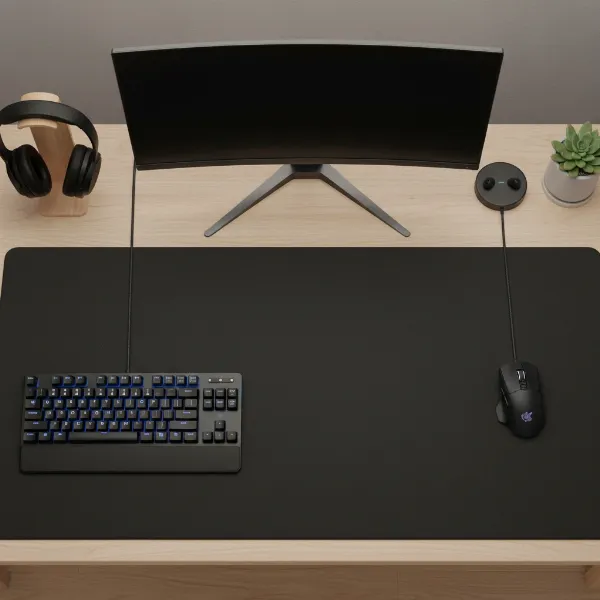
Choosing the right mouse pad can dramatically transform your computing experience, whether you are battling foes in a virtual arena or meticulously crafting a design project. For many, a standard mouse pad simply doesn’t cut it anymore. The shift towards larger, more expansive surfaces has gained immense popularity, offering a blend of unrestricted movement, enhanced comfort, and a unified aesthetic for your entire desk setup. If you’ve ever felt constrained by a small pad, or wished your keyboard had a softer, more stable foundation, then exploring the world of large mouse pads is your next essential upgrade. This comprehensive guide will walk you through everything you need to know, helping you find the perfect large mouse pad that not only fits your needs but elevates your entire workspace.
The Perfect Large Mouse Pad: A Detailed Guide
Embarking on the quest for the ideal large mouse pad means understanding the nuances that separate a good pad from a great one. It’s more than just a surface; it’s an integral part of your desk ecosystem, influencing everything from precision in gameplay to ergonomic comfort during long work sessions. By delving into the specifics of size, surface types, materials, and leading brands, you’ll be equipped to make an informed decision that truly enhances your daily interactions with your computer.
Large Mouse Pad Dimensions: Why Bigger Often Means Better
When it comes to mouse pads, a larger size often translates to a better experience, providing ample room for sweeping mouse movements without ever running off the edge. This unrestricted space is crucial for competitive gamers who rely on low DPI settings for precise aim, allowing for wide, unhindered flicks and tracking. Beyond gaming, a larger surface offers superior comfort and reduces the need to constantly reposition your mouse, leading to a more fluid workflow for creative professionals and general users alike.
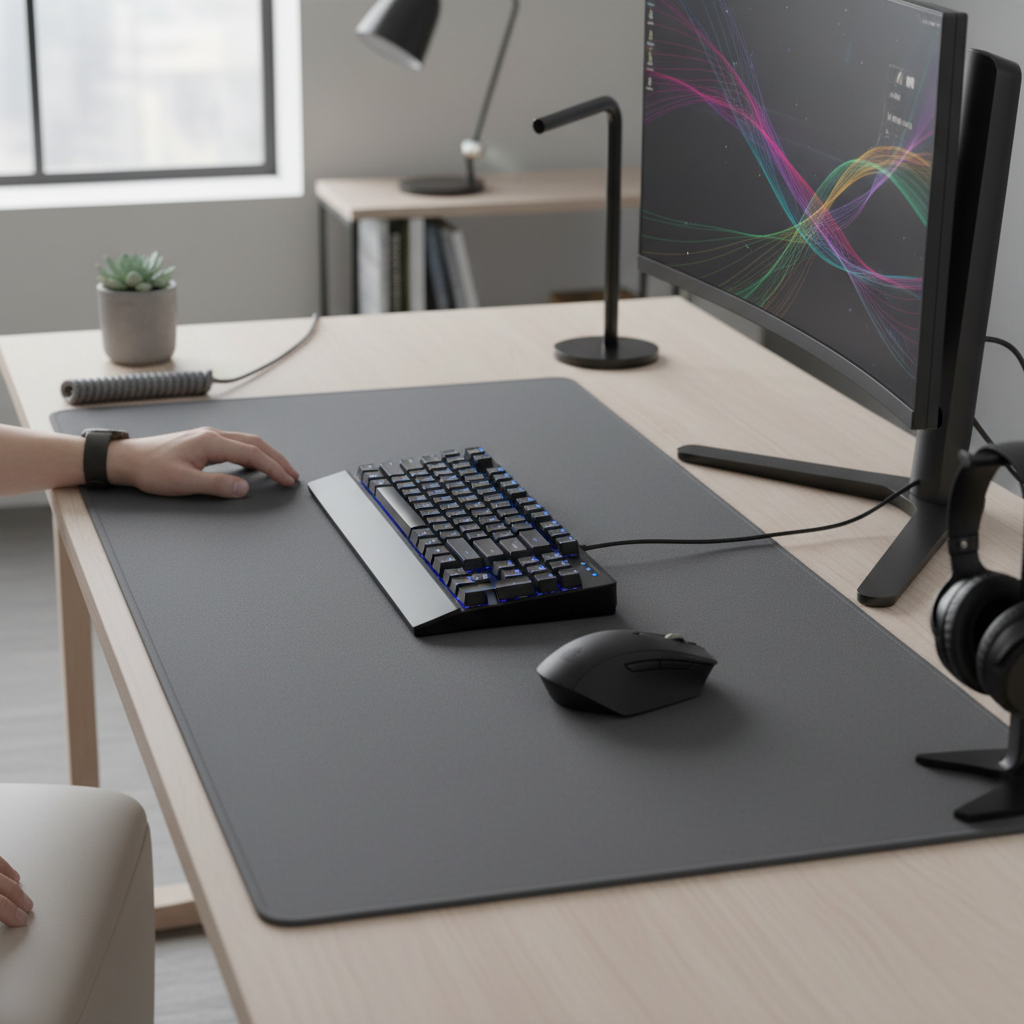
The most common large mouse pad dimensions often range significantly, from extended pads that comfortably fit both your keyboard and mouse (around 900x400mm or 35×16 inches) to full desk mats that can span the entire width and depth of your workstation (sometimes exceeding 1200x600mm or 47×24 inches). Users who typically benefit most from these expansive pads include:
- Gamers: Especially those playing FPS (First-Person Shooter) or RTS (Real-Time Strategy) titles, where quick, large movements are essential.
- Graphic Designers and Video Editors: Who require precise control and wide cursor movements across multiple monitors.
- Programmers and Writers: Offering a comfortable, consistent surface for both keyboard and mouse, reducing wrist strain over extended periods.
- Anyone seeking a clean, cohesive desk aesthetic: Large mats often tie the entire setup together, hiding minor desk imperfections and providing a uniform look.
|
Our Picks for the Best Large mouse pad in 2026
As an Amazon Associate I earn from qualifying purchases.
|
||
| Num | Product | Action |
|---|---|---|
| 1 | Large Extended Gaming Mouse Pad with Stitched Edges, (31.5X15.7In) Durable Non-Slip Natural Rubber Base, Waterproof Computer Keyboard Pad Mat for Esports Pros/Gamer/Desktop/Office/Home-Black |

|
| 2 | KTRIO Large Gaming Mouse Pad Desk Mat, Superior Micro-Weave Cloth for Precise Mouse Control, Non-Slip Rubber Base, Stitched Edges, Water-Resistant, for Gamer, Office & Home, 31.5" x 11.8" inches |
|
| 3 | Large Gaming Mouse Pad, 31.5x15.7 inch Large Extended Computer Keyboard Mouse Mat, Water Resist Non-Slip Mousepad Rubber Base Long XXL Desk Mouse Pad for Work & Gaming, Office & Home, Black |
|
| 4 | SteelSeries QcK Gaming Mouse Pad - XXL Cloth - Peak Tracking and Stability - Esports Mousepad - Never-Slip - Full Desk Coverage |
|
| 5 | TEDNETGO Large Gaming Mouse Pad, Waterproof Extra Large Big Mouse Pad with Stitched Edge, XXL Non-Slip Black Computer Long Mousepad Desk Mat for Gamer, Office & Home, Black |
|
| 6 | Mouse Pad, Large Gaming Mouse Pad with Double Stitched Edges, 14.9 x 11.7 inches Premium-Textured & Waterproof Mousepad, Nonslip Natural Rubber Base Mouse pad for Laptop,Computer, Office, Black |
|
| 7 | Razer Gigantus V2 Cloth Gaming Mouse Pad (XXL): Thick, High-Density Foam - Non-Slip Base - Classic Black |
|
| 8 | Aothia Non-Slip Waterproof PU Leather Desk Pad Protector for Mouse, Writing Desk, Office, Home, Laptop Blotter, 23.6" x 13.7", Black |
|
| 9 | Amazon Basics Large Extended Computer Rectangular Mouse Pad, 16.7 x 35.7 inch, Black |
|
| 10 | SteelSeries QcK Large Gaming Mousepad — Black — Non-Slip Silicone Rubber Base — Peak Tracking and Stability — Optimized for Gaming Sensors — 490 mm x 420 mm — FPS, MOBAs, RTS, MMO |
|
[image-1|large-mouse-pad-dimensions|A large mouse pad extending across a modern desk, accommodating a keyboard and mouse, showcasing ample space for movement and a clean setup.|
A wide-angle shot of a modern minimalist desk setup. A large, dark grey mouse pad stretches across the entire desk, comfortably fitting a sleek mechanical keyboard and a gaming mouse. The mouse has plenty of room for movement. The background is a clean, well-lit home office, with soft ambient lighting creating a professional and functional atmosphere. The style is realistic and illustrative, emphasizing the scale and utility of the large mouse pad.]
Large Mouse Pad Surface Types: Pros and Cons
The surface of your large mouse pad is arguably its most critical feature, dictating the glide, control, and overall feel of your mouse movements. Different materials and textures cater to distinct user preferences and activities. Understanding these differences is key to matching the pad to your unique interaction style.
Cloth Surfaces are the most common and widely appreciated, typically made from finely woven fabric or micro-woven materials. They offer:
- Pros: High precision and excellent control, making them ideal for gamers who prioritize accuracy and subtle adjustments. They provide a comfortable, soft feel under the wrist and are generally quiet during use. Many cloth pads are also hand-washable, making maintenance relatively straightforward.
- Cons: Can be susceptible to fraying over time, especially if edges are not stitched. They can also accumulate dirt and oils more easily than other types and may offer less initial speed.
- Best for: FPS gamers, low-DPI users, and those seeking maximum control.
Hard Surfaces are typically crafted from rigid materials like plastic, aluminum, or even glass. These pads are known for their speed and durability.
- Pros: Provide incredibly fast glide with minimal friction, which is advantageous for high-speed gaming or quick cursor movements. They are very easy to clean and highly durable, resisting spills and wear. Hard surfaces maintain a consistent glide over their lifetime.
- Cons: Can be noisy, uncomfortable for some users due to their rigidity, and may wear down mouse feet more quickly. They offer less control compared to cloth pads.
- Best for: MOBA/RTS gamers, high-DPI users, and those who prefer swift, unhindered motion.
Hybrid Surfaces aim to combine the best attributes of both cloth and hard pads, offering a balanced experience.
- Pros: Deliver a blend of speed and control, providing faster glide than traditional cloth pads while retaining some of the stopping power and precision. Many hybrid pads are also water-resistant and easier to clean than pure cloth surfaces.
- Cons: Can be a niche preference, and the “hybrid” feel might not appeal to everyone. They can also be pricier than standard cloth or hard pads.
- Best for: Gamers who need both speed for rapid movements and control for precise adjustments, or users looking for a versatile, easy-to-maintain option.
Large Mouse Pad Materials: Durability and Comfort
Beyond the surface type, the underlying materials and construction of a large mouse pad play a significant role in its durability, stability, and overall user comfort. A well-constructed pad ensures it stays in place, withstands prolonged use, and feels good against your skin.
Natural Rubber (or Foam Rubber) is the ubiquitous choice for the base of almost all quality mouse pads.
- Pros: Offers exceptional grip, preventing the pad from sliding around on your desk even during intense movements. Its elasticity provides a comfortable, cushioned feel, absorbing minor desk imperfections.
- Cons: Can have a slight rubber smell when new, which usually dissipates.
- Importance: A robust, non-slip rubber base is non-negotiable for a stable and consistent experience.
Synthetic Rubbers and Other Polymers: Some manufacturers use synthetic rubber blends or specific polymers for the base to optimize cost or performance.
- Pros: Can be more cost-effective to produce, making pads more affordable. Some advanced polymers can offer specific adhesion properties.
- Cons: Quality can vary; cheaper synthetic bases might not offer the same grip or durability as natural rubber.
Other Surface Materials:
- PU Leather: Found in some desk mats (like the Vaydeer Aluminum Mouse Mat’s alternate side), offering a smooth, premium feel and easy cleaning.
- Aluminum/Metal: Used for hard pads, providing extreme durability and a very fast, consistent glide, though it can feel cold and might be noisy.
- Glass: A newer, high-end option for hard pads, offering exceptional glide and durability but prone to breakage if dropped.
Edge Stitching: This feature, typically found on cloth and hybrid pads, is critical for longevity.
- Pros: Prevents the edges of the mouse pad from fraying or peeling over time, significantly extending its lifespan. Stitched edges also contribute to a cleaner, more finished aesthetic.
- Cons: Some users might find the stitching slightly raises the edge, which can be a minor tactile distraction, though this is rare with well-designed pads.
- Recommendation: Always look for a large mouse pad with high-quality, anti-fray stitched edges to ensure long-lasting performance.
“Investing in a large mouse pad with robust edge stitching is a small detail that makes a huge difference in its longevity and how it holds up to daily use. It’s the unsung hero that keeps your pad looking and performing like new.” – Admin of Reviewdor.com, Peripherals Expert
Comparing Top Large Mouse Pad Brands
The market for large mouse pads is vibrant, with many reputable brands offering compelling options. Each brand often brings its unique philosophy to design and performance, catering to different segments of users. Here’s a look at some of the leading names and their standout large mouse pad offerings.
-
SteelSeries: A long-standing titan in gaming peripherals, SteelSeries is renowned for its QcK series of mouse pads. The QcK Heavy is a favorite, known for its extra thickness, durable micro-woven cloth surface that balances speed and control, and a non-slip rubber base. They also offer the QcK Prism for those who desire customizable RGB lighting. SteelSeries pads are often celebrated for their reliability and consistent performance, making them a go-to for many professional gamers.
-
Razer: Known for its aggressive styling and cutting-edge technology, Razer offers a range of high-performance mouse pads. The Razer Strider Chroma stands out with its hybrid surface, providing a slick, fast glide while retaining enough texture for controlled movements. It’s water-resistant and often comes in an extended size, accommodating both keyboard and mouse. Razer pads often integrate seamlessly with their Synapse software for RGB customization.
-
Corsair: Another powerhouse in the gaming world, Corsair’s MM300 Pro Extended is a popular choice for its massive size and premium construction. It features an expansive cloth surface optimized for precise tracking and anti-fray stitched edges for enhanced durability. Corsair mouse pads are built to withstand intensive gaming sessions and offer ample space for dynamic gameplay.
-
Logitech: A diverse peripheral brand, Logitech provides excellent options for both gamers and productivity users. The Logitech G440 Hard mouse pad is engineered for speed and precision, boasting a low-friction polyethylene surface ideal for competitive gaming. For a more understated look, their Logitech Studio Series offers basic cloth pads that are functional and reliable.
-
Cooler Master: While perhaps better known for cases and cooling, Cooler Master also produces highly-rated mouse pads like the MP750 (known for its attractive RGB lighting) and the MP511. They often focus on durable, quality surfaces with strong anti-fray stitching.
-
X-raypad: A niche but highly respected brand among enthusiasts, X-raypad offers various specialized pads like the Aqua Control+. These pads are known for their unique surface textures designed for specific control or speed preferences, often favored by competitive gamers seeking a particular feel.
-
Other Notables:
- Zowie: Praised for battle-proven durability and consistent performance, often with simpler designs.
- Xtrfy: Offers stylish and eye-catching designs alongside solid performance.
- Mroco: A budget-friendly option, with pads like the Anti-fray Premium offering good performance for the price, often featuring stitched edges and good glide.
- Vaydeer: Known for innovative designs, including aluminum mouse mats that offer a distinct feel.
[image-2|top-gaming-mouse-pad-brands|A collection of iconic large mouse pads from leading brands like SteelSeries, Razer, and Corsair, laid out side-by-side on a desk, highlighting their unique designs and branding.|
An overhead shot of three distinct large mouse pads, each from a different leading brand (SteelSeries, Razer, Corsair), laid out side-by-side on a light wooden desk. Each mouse pad showcases its unique branding and surface texture. One is a sleek, dark cloth pad, another is a hybrid with a subtle pattern, and the third might feature RGB elements (subtly implied, not overtly glowing). The composition is clean and focuses on comparing the physical attributes of the different brands, with soft, even studio lighting.]
Detailed Comparison Table of Popular Large Mouse Pads
To help you visualize and compare some of the leading large mouse pad options, here’s a detailed table highlighting their key features, advantages, and potential drawbacks. This table includes a mix of cloth, hard, and hybrid surfaces to provide a comprehensive overview.
| Product Name | Size (approx.) | Surface Type | Primary Material | Price Range (USD) | Pros | Cons |
|---|---|---|---|---|---|---|
| SteelSeries QcK Heavy | 450x400mm | Cloth | Micro-woven cloth, rubber | $20-$30 | Excellent control, durable, extra thick for comfort, non-slip base. | Can take time to flatten, less speed than hard pads, no RGB. |
| Razer Strider Chroma | 900x400mm | Hybrid | Polyester, anti-slip rubber | $50-$60 | Balanced speed/control, water-resistant, durable, RGB lighting, extended size. | Higher price point, not as soft as pure cloth. |
| Corsair MM300 Pro Ext. | 930x300mm | Cloth | Textile weave, rubber | $30-$40 | Massive size, anti-fray stitched edges, optimized for tracking, spill-proof. | May be too narrow for some, lacks RGB. |
| Logitech G440 Hard | 340x280mm | Hard | Polypropylene | $20-$30 | Ultra-low friction for speed, consistent glide, durable, easy to clean. | Smaller than other “large” pads, noisy, can wear mouse feet. |
| Cooler Master MP750 | 900x400mm | Cloth | Smooth cloth, rubber | $40-$50 | Vibrant RGB lighting, water-resistant, soft comfortable surface, stitched edges. | RGB quality can vary, not as thick as some competitors. |
| X-raypad Aqua Control+ | 450x400mm | Hybrid/Cloth | Amundsen fabric, rubber | $25-$35 | Very precise control, fast initial glide, good stopping power, specialized texture. | Specific feel might not suit everyone, less widely available. |
| Mroco Anti-fray Premium | 800x300mm | Cloth | Mutispandex, rubber | $10-$15 | Budget-friendly, stitched edges, decent glide, good durability for the price. | Thinner, less premium feel, limited size options. |
Note: Prices are approximate and can vary based on retailer and promotions.
How to Choose Your Large Mouse Pad: Key Considerations
Selecting the right large mouse pad can feel overwhelming with the myriad of options available. By focusing on a few crucial factors, you can narrow down your choices and find a pad that perfectly aligns with your needs and preferences.
-
Determine Your Primary Use:
- Gaming: If you’re a serious gamer, consider your game genre. FPS players often benefit from control-oriented cloth pads (e.g., SteelSeries QcK Heavy) for precision. MOBA or RTS players might prefer the speed of hard or hybrid surfaces (e.g., Logitech G440, Razer Strider Chroma) for rapid movements.
- Productivity/Work: For general computing, writing, or creative tasks, comfort and a cohesive desk aesthetic might be priorities. A comfortable cloth desk mat that supports both keyboard and mouse can reduce fatigue and enhance organization.
- Hybrid Use: If you switch between gaming and work, a versatile hybrid pad or a balanced cloth pad with good glide might be the best option.
-
Assess Your Desk Space:
- Before purchasing, measure your available desk area. Ensure the chosen large mouse pad will fit without interfering with monitors, desk legs, or other peripherals. Remember, a truly large pad should provide ample room for both your mouse and keyboard, creating a unified surface.
-
Consider Material and Surface Preferences:
- Feel: Do you prefer a soft, cushioned surface (cloth) or a firm, slick one (hard)?
- Control vs. Speed: Prioritize precise stopping power (cloth) or effortless, rapid movements (hard)? Hybrid pads offer a middle ground.
- Durability & Maintenance: If easy cleaning and extreme longevity are key, hard or water-resistant hybrid pads are excellent. For maximum comfort and control, a quality cloth pad with stitched edges is ideal.
-
Read User Reviews and Expert Feedback:
- Always consult reviews from other users and trusted experts. They can provide real-world insights into a pad’s performance, durability, and any potential quirks that specifications might not reveal. Look for feedback relevant to your specific use case.
-
Compare Prices from Multiple Sources:
- Once you have a few top contenders, compare prices across different retailers. Discounts and sales are common, especially around major shopping events, so a little research can save you money. Balance price with quality – a slightly more expensive, durable pad can be a better long-term investment.
[image-3|choosing-large-mouse-pad|A person’s hands browsing online reviews of large mouse pads on a tablet, with various mouse pad options visible on a desk in the background, symbolizing the buying decision process.|
A close-up shot of a person’s hands holding a tablet, displaying an e-commerce website with multiple large mouse pad reviews and product comparisons. In the softly blurred background, a desk features several different types of large mouse pads (cloth, hard, hybrid) partially visible, suggesting the array of choices available. The lighting is natural and inviting, highlighting the decision-making process for a consumer.]
Cleaning and Maintaining Your Large Mouse Pad
Proper care and maintenance can significantly extend the life and maintain the performance of your large mouse pad. Whether it’s a spill during an intense gaming session or just general accumulation of dust and hand oils, keeping your pad clean is essential.
Routine Cleaning for Cloth and Hybrid Pads:
- Dust and Debris: For daily maintenance, a lint roller or a soft-bristled brush can effectively remove dust, crumbs, and pet hair.
- Spot Cleaning: For minor smudges or fresh spills, a damp microfibre cloth with a small amount of mild soap (like dish soap) can be used. Gently rub the affected area, then wipe with a clean, damp cloth to remove soap residue.
- Deep Cleaning (Hand Washing): For a thorough clean, most cloth pads can be hand-washed.
- Fill a basin or bathtub with lukewarm water and a small amount of mild soap.
- Submerge the mouse pad and gently scrub both sides with a soft sponge or cloth, focusing on any soiled areas. Avoid harsh scrubbing that could damage the surface or stitching.
- Rinse thoroughly under cool running water until all soap residue is gone.
- Lay the mouse pad flat on a clean towel in a well-ventilated area, away from direct sunlight or heat, to air dry completely. This can take 24-48 hours. Never put a mouse pad in a washing machine or dryer, as this can damage the material and rubber base.
Cleaning Hard Surfaces:
- Hard mouse pads are generally the easiest to clean. A simple wipe down with a damp cloth and mild all-purpose cleaner is usually sufficient to remove dirt, grime, and fingerprints.
- For stubborn marks, a non-abrasive cleaner can be used. Always ensure the pad is completely dry before placing your mouse back on it.
General Care Tips:
- Avoid Harsh Chemicals: Strong cleaning agents can damage the surface material, color, or rubber base.
- Prevent Stains: Try to keep food and drinks away from your mouse pad, or use coasters.
- Flat Storage: If you need to store your large mouse pad, roll it loosely with the surface facing outwards to prevent creases or damage to the rubber base. Avoid folding it tightly.
- Trim Fraying (if any): For pads without stitched edges, if you notice minor fraying, carefully trim loose threads with small scissors to prevent them from spreading.
By following these simple cleaning and maintenance guidelines, your large mouse pad will remain in top condition, providing a consistent and enjoyable experience for years to come.
Conclusion
The world of large mouse pads offers a significant upgrade for virtually any computer user, transcending the basic functionality of a small pad to deliver enhanced comfort, precision, and aesthetic appeal. From the expansive freedom for wide mouse movements to the cohesive look it brings to your desk, a well-chosen large mouse pad can truly elevate your daily computing experience. We’ve explored the critical aspects, from the benefits of generous dimensions and the distinct characteristics of cloth, hard, and hybrid surfaces, to the importance of durable materials and the offerings from leading brands.
Ultimately, the best large mouse pad is the one that perfectly suits your individual needs, whether you’re a competitive gamer seeking pixel-perfect accuracy or a professional craving an ergonomic and organized workspace. By considering your usage habits, desk space, and surface preferences, and by taking care of your chosen pad, you’ll unlock a new level of performance and comfort. So, why settle for less when your desk can become a seamless, high-performance canvas?
What kind of large mouse pad do you think would most enhance your current setup?
Frequently Asked Questions
What is the ideal size for a large mouse pad?
The ideal size for a large mouse pad depends on your desk space and usage. For most gamers and professionals, an extended pad (around 900x400mm or 35×16 inches) that accommodates both your keyboard and mouse offers ample room. If you have a very large desk and want a fully unified surface, full desk mats exceeding 1200x600mm (47×24 inches) are available.
How do I clean a cloth large mouse pad?
Cloth large mouse pads can typically be hand-washed. Use lukewarm water and a small amount of mild soap, gently scrubbing with a soft sponge. Rinse thoroughly until no soap remains, then lay the pad flat on a clean towel in a well-ventilated area to air dry completely for 24-48 hours. Avoid washing machines or dryers.
Are hard mouse pads better for gaming?
Hard mouse pads are excellent for specific gaming styles, particularly for competitive MOBA or RTS players who prioritize speed and rapid mouse movements due to their ultra-low friction surfaces. However, for FPS gamers who often require more control and precision, a cloth or hybrid pad might be a better choice as it offers more stopping power and tactile feedback.
Do large mouse pads improve gaming performance?
Yes, large mouse pads can significantly improve gaming performance, especially for gamers who use low DPI settings. They provide unrestricted space for sweeping movements, eliminating the risk of running off the pad mid-game. This leads to more consistent tracking, better aim, and reduced distractions, ultimately contributing to a more precise and comfortable gaming experience.
What’s the difference between stitched and unstitched edges?
Stitched edges on a mouse pad feature a protective seam around the perimeter, preventing the material from fraying or peeling over time. This greatly enhances the pad’s durability and lifespan. Unstitched edges, while sometimes offering a flatter profile, are more prone to wear and tear, often showing signs of fraying much sooner with regular use.